
ASCII Ghost
ASCII art whose characters cycle over time and leave fading ghost trails; Cell Size sets character size, Speed the cycling rate.
Group: Text & Glyph · How to add an effect
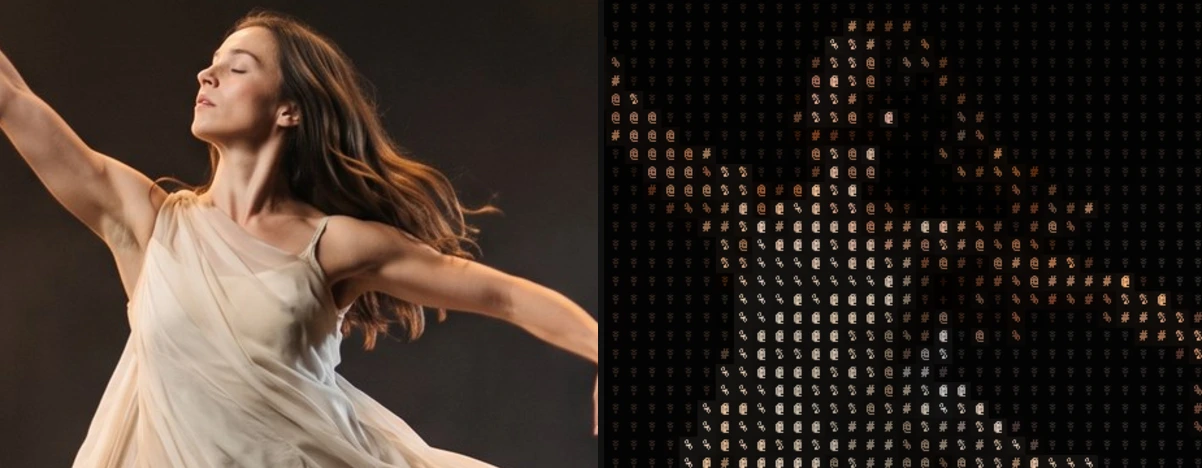
A short page made from the editor’s effect catalog: what the effect does and its controls. Tips and its node setup will follow.
Controls
Section titled “Controls”| Control | Range | Default |
|---|---|---|
| Grid | ||
| Cell Size | 4 to 72 px | 14 px |
| Style | ||
| Amount | 0 to 1 | 1 |
| Background | 0 to 1 | 0.2 |
| Black Level | 0 to 0.9 | 0 |
| Invert Ramp | on or off | off |
| Glyphs | ||
| Ramp (Used while Custom Ramp is empty) | Standard, Detailed, Blocks, Bars, Binary and 2 more | Standard |
| Custom Ramp | text | empty |
| Font | Monospace, Serif, Sans Serif | Monospace |
| Weight | 200 to 900 | 600 |
| Color | ||
| Color Source | Source, Duotone | Source |
| Dark (Used with Color Source Duotone) | a colour | #081018 |
| Light (Used with Color Source Duotone) | a colour | #e8fff5 |
| Motion | ||
| Speed | 0 to 5 | 1 |
| Roll | 0 to 1 | 1 |
| Reset Trail | on or off | off |
| General | ||
| History Loop | Reset, Continuous | Reset |
Technical details
Section titled “Technical details”It builds on its own earlier frames, so its trails grow during playback; History Loop sets whether they start again when playback jumps back to the loop start. How effects are stored, rendered and exported: Effect system. Its building blocks: Node Catalog.