
Voxel Relief
Builds the picture out of small blocks in 3D: bright parts rise, dark parts stay low. You can look at the relief from any angle.
Group: 3D & Particles · How to add an effect
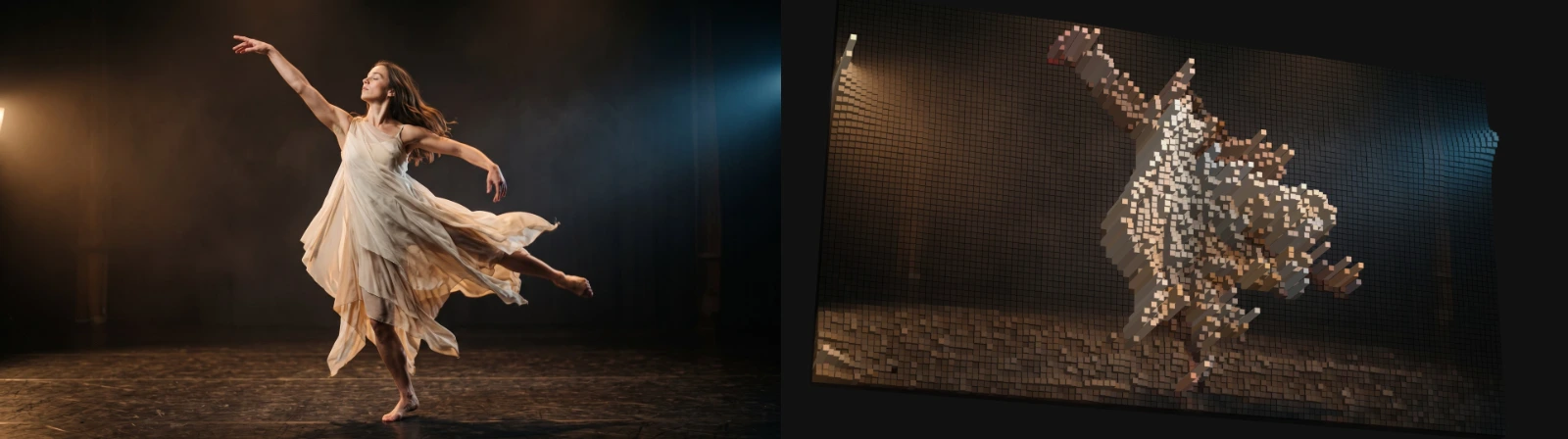
Use it for: a pin-art or city-model look · a slow camera move over a still picture · a graphic, 3D treatment of a portrait.
- Columns – how many blocks across the picture.
- Height – how far bright parts rise.
- Tilt and Yaw (degrees) and Distance – where the camera looks from.
- Light Angle – where the light comes from.
Tip: press Orbit on the effect card, then drag in the preview to look from another angle and scroll to move closer. Keyframe Tilt and Yaw for a camera move.
Controls
Section titled “Controls”| Control | Range | Default |
|---|---|---|
| General | ||
| History Loop | Reset, Continuous | Reset |
| Relief | ||
| Columns | 12 to 180 | 107.4 |
| Height | 0 to 1.2 | 1.2 |
| Base | 0 to 0.2 | 0.015 |
| Gap | 0 to 0.36 | 0.06 |
| Limit to Video | on or off | on |
| Height Contrast | 0.2 to 3 | 3 |
| Camera | ||
| Tilt | −180 to 180° | 87° |
| Yaw | −180 to 180° | 0° |
| FOV | 0.15 to 1.6 | 0.22 |
| Distance | 0.2 to 6 | 0.8 |
| Center X | 0 to 1 | 0.5 |
| Center Y | 0 to 1 | 0.5 |
| Roll | −180 to 180° | 0° |
| Light | ||
| Ambient | 0 to 1 | 0.58 |
| Light | 0 to 2 | 0.48 |
| Light Angle | 0 to 360° | 310° |
| Light Elevation | 5 to 85° | 45° |
| Light Follows Camera | on or off | off |
| Look | ||
| Color | 0 to 1 | 0.95 |
| Smoothing | 0 to 0.9 | 0.08 |
| Gaps | 0 to 1 | 0.1 |
| Edges | 0 to 1 | 0.68 |
| Reset Smoothing | on or off | off |
| Quality | ||
| Ray Steps | 24 to 144 | 72 |
Node setup
Section titled “Node setup”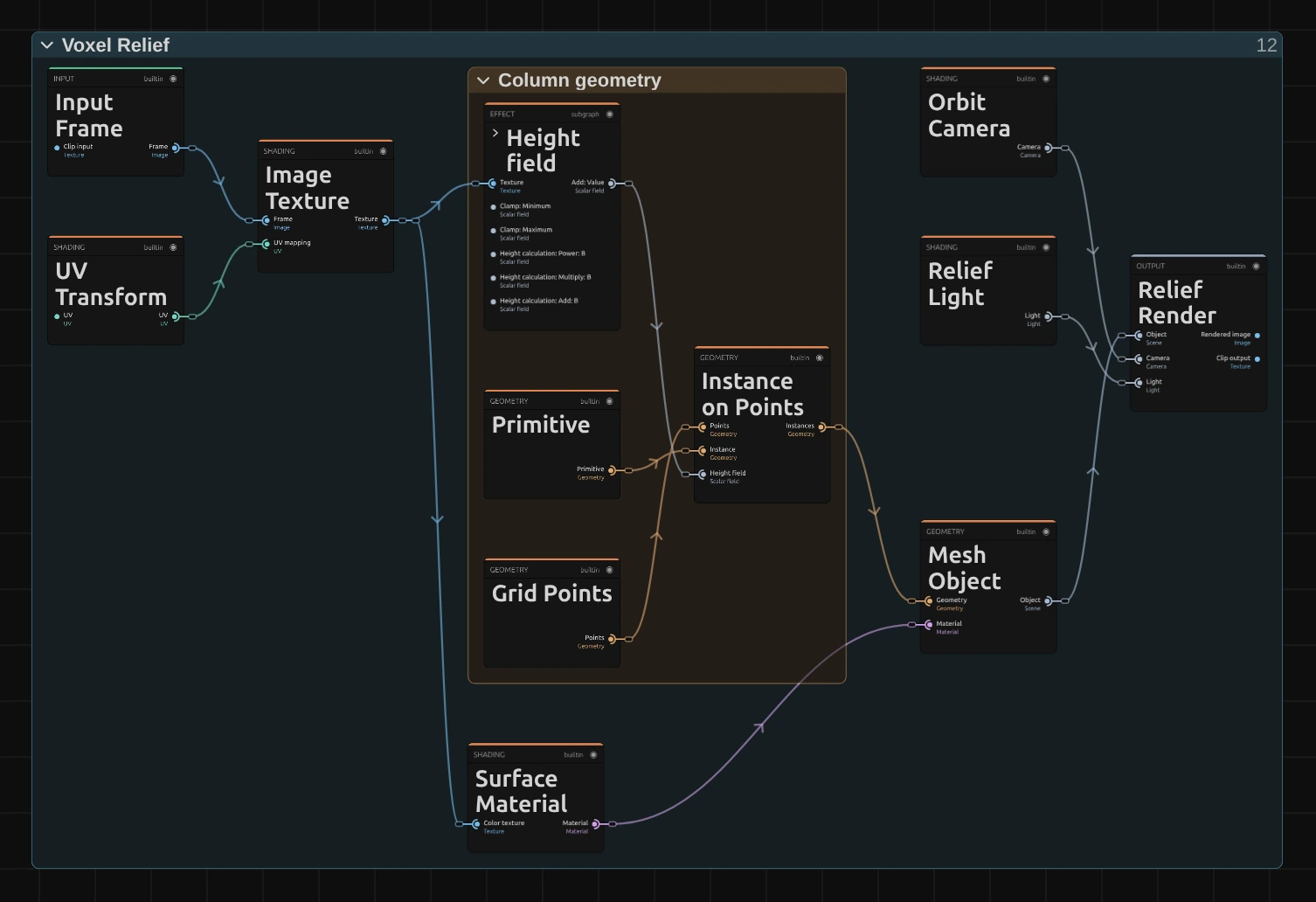
Voxel Relief is a small 3D scene: blocks on a grid, a camera and a light. Column geometry builds the blocks: Grid Points places one point per column, Primitive is the block, Height field turns brightness into height (Height Contrast, Height and Base are its controls) and Instance on Points puts a block on every point. Mesh Object dresses the blocks in the picture’s colours (Surface Material), and Relief Render films them with the Orbit Camera and the Relief Light. Open Nodes in the effect card opens this graph directly.
Remix: select Primitive and switch its Shape from Box to Sphere or Cylinder: the relief turns into beads or round pillars. The effect card shows the same Shape under Primitive.
Technical details
Section titled “Technical details”- Rendering. The 2D relief is raymarched (Ray Steps); as a 3D scene object it uses instancing: Voxel Relief as a true 3D scene object.
- Look. Block sides keep at least 55 % of the column colour. The default Distance 0.8 fills the layer at the default Tilt.
- Framing. Height does not move the camera: a low or keyframed relief keeps the framing of the default relief, and only a relief taller than the default makes the camera step back. Distance alone sets how close it is.
- Warnings. Values its shader clamps are named in the effect card and the tool result.
- Saved projects. A Voxel Relief saved earlier keeps its darker sides, Distance 1 if it was saved before Distance existed, and a camera that moves closer as Height drops if it was saved before 27 October 2026.
- Nodes and camera: Editable Voxel Relief nodes, camera and orbit mode; blocks: Node Catalog.