
Pixel Particle Disintegrate
The picture breaks into small particles that blow away, as the clip’s exit. At Progress 0 it is untouched; at 1 it is gone.
Group: 3D & Particles · How to add an effect
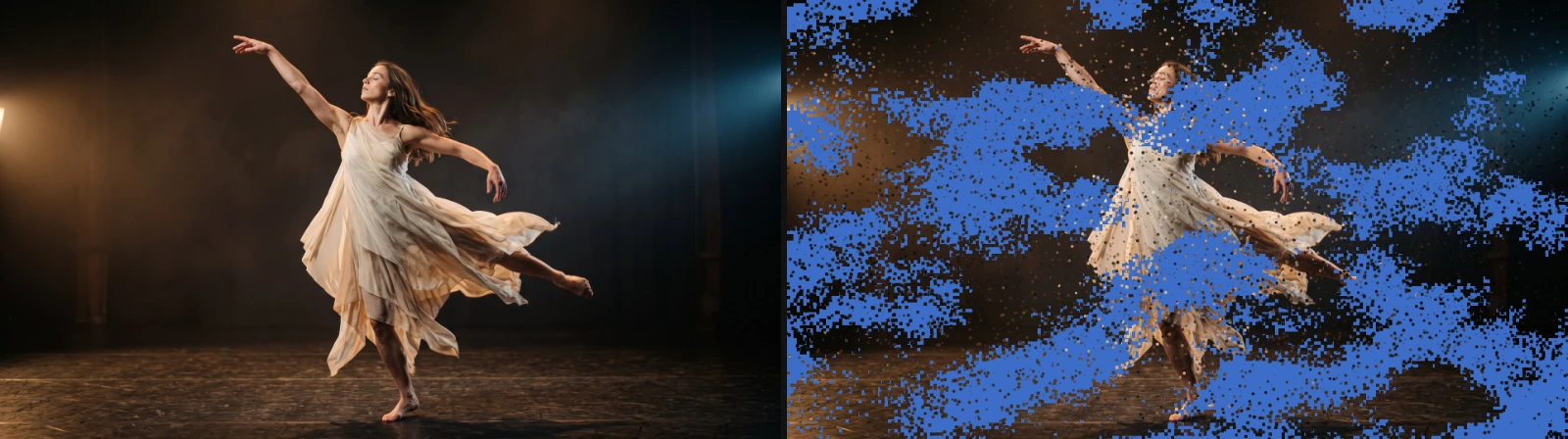
Use it for: a dramatic exit of a performer or a title · dissolving into dust at a scene change · a reverse build-up (keyframe Progress from 1 to 0).
- Progress – keyframe it from 0 to 1; the picture thins out at an even rate. The Particle Out button next to the effect list sets this up at the end of the clip.
- Cell Size – the size of each particle, in pixels of a 1080p frame (it scales with the frame size).
- Stagger and Wind Sweep – how unevenly and in which order the parts let go.
- Fade – how much each particle fades and shrinks while it flies.
Tip: change Seed for a different pattern with the same settings.
Controls
Section titled “Controls”| Control | Range | Default |
|---|---|---|
| General | ||
| Progress | 0 to 1 | 0 |
| Seed | 0 to 100000 | 1 |
| Particles | ||
| Cell Size | 2 to 64 px | 8 px |
| Particle Size | 0.25 to 4 | 1.2 |
| Softness | 0 to 1 | 0.55 |
| Fade | 0 to 1 | 0.7 |
| Shape | Square, Soft Circle, Shard | Soft Circle |
| Motion | ||
| Spread | 0 to 2 | 0.55 |
| Depth | 0 to 2 | 0.45 |
| Curl | 0 to 2 | 0.35 |
| Turbulence | 0 to 1.5 | 0.2 |
| Direction X | −2 to 2 | 0 |
| Direction Y | −2 to 2 | −0.25 |
| Gravity | −2 to 2 | 0.35 |
| Spin | −4 to 4 | 0.7 |
| Gust Strength | 0 to 1.5 | 0.75 |
| Gust Scale | 1 to 18 | 5.5 |
| Release | ||
| Stagger | 0 to 0.95 | 0.35 |
| Wind Sweep | 0 to 1 | 0.35 |
| Release Contrast | 0 to 1.5 | 0.65 |
| Tail | 0.05 to 1 | 0.45 |
| Quality | ||
| Preview Particle Budget | 4000 to 160000 | 60000 |
| Export Particle Budget | 8000 to 500000 | 180000 |
| Hard Particle Limit | 8000 to 500000 | 220000 |
Node setup
Section titled “Node setup”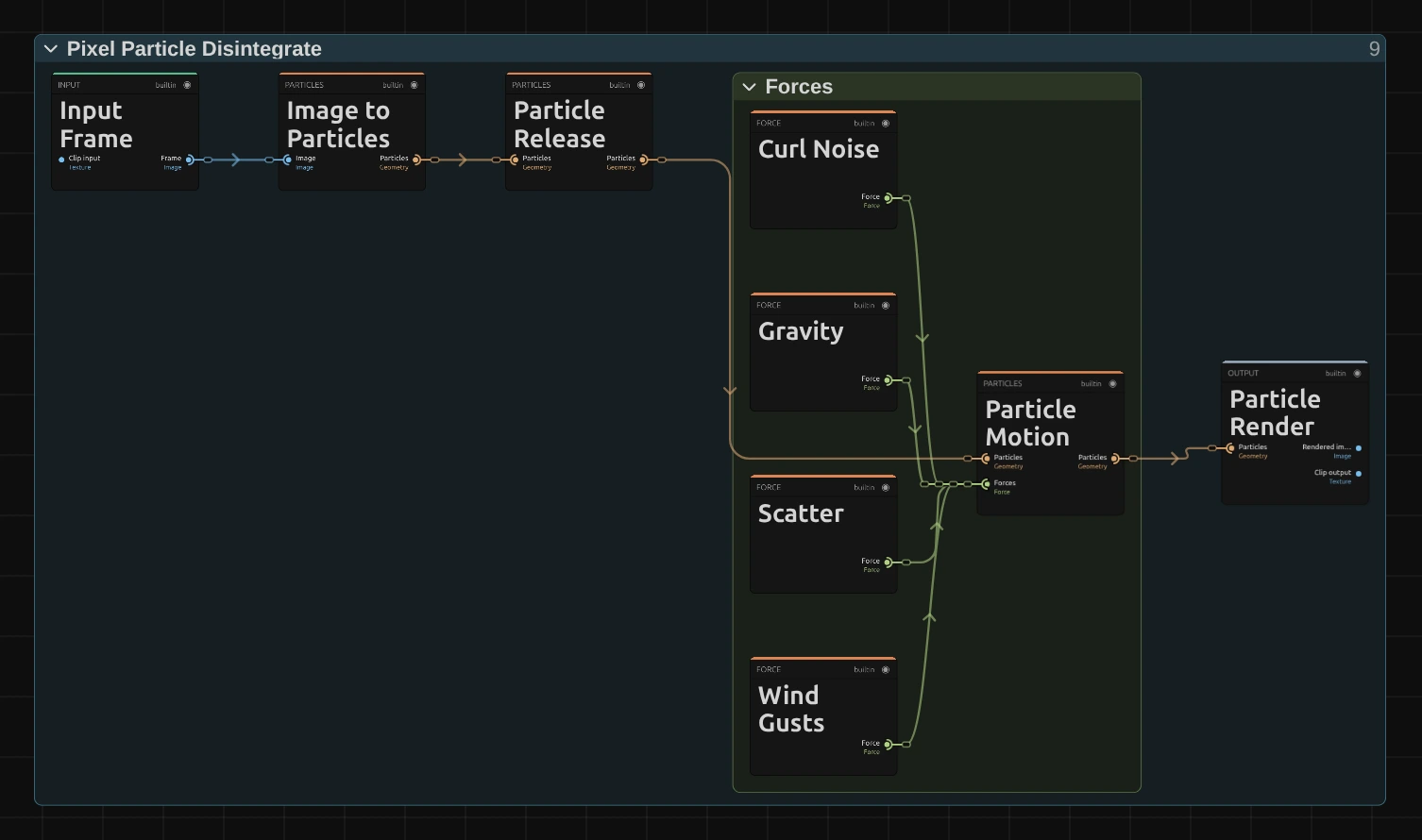
Image to Particles cuts the picture into one particle per cell, Particle Release decides when each one lets go (Progress, Stagger, Wind Sweep), Particle Motion moves the released ones and Particle Render draws them. The four forces add up: Curl Noise swirls, Gravity pulls down, Scatter pushes apart and Wind Gusts blows along a direction. The cards hold the same settings as the effect card; there is no per-pixel math here.
Remix: unplug Gravity from Particle Motion and the dust floats instead of sinking. An unplugged or muted force adds nothing; plug it back in to restore it.
Technical details
Section titled “Technical details”- Particles. One particle per Cell Size cell, up to the Preview (60,000) and Export (180,000) Particle Budget and the Hard Particle Limit (220,000). Over budget the cells grow until the grid fits, and the effect card says so; with a very small Cell Size the preview can therefore show larger particles than the export.
- Release. The release pockets come from gradient Fractal Noise, and each cell’s release time is its rank among all cells, spread evenly over Progress 0 to about 0.84 at the defaults.
- Stack. It always works last in the effect stack: effects below it have no effect (Order matters).
- Saved projects. Saved particle effects keep their output-pixel Cell Size and Fade 0, and the effect card says so. They release in the current pockets, at an even rate.
- More: Effect system; blocks: Node Catalog.