
Block Mosaic
Rebuilds the picture as a tiled wall: small tiles mixed with larger ones, separated by grout lines.
Group: Pixel & Mosaic · How to add an effect
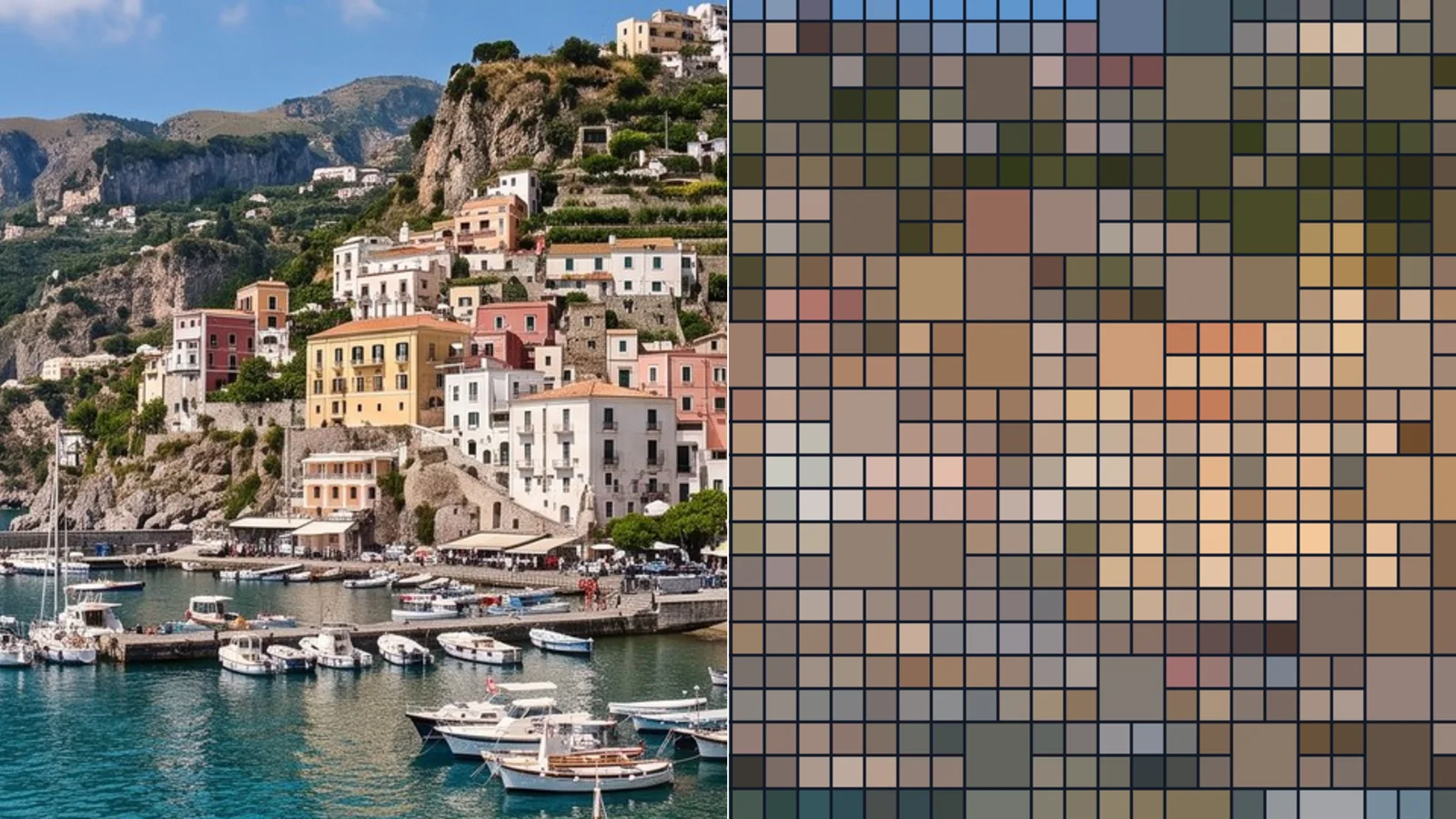
Use it for: a tiled-wall or bathroom-mosaic look · a projection that reads as a wall of screens · a restless, flickering mosaic (with Speed).
- Tile Size – the size of the small tiles, measured like Pixelate’s Pixel Size (on a full-HD picture).
- Grout Width / Grout Color – the lines between the tiles; 0 leaves them out.
- Speed – how many times per second the large tiles are drawn anew at random; 0 (the default) keeps them still.
- Amount – mixes the tiles with the original picture.
Tip: a light Grout Color on a dark stage reads like a tiled wall; set Speed to the tempo of the music for a mosaic that changes on the beat.
Controls
Section titled “Controls”| Control | Range | Default |
|---|---|---|
| Tile Size | 4 to 128 | 22 |
| Grout Width | 0 to 12 | 2 |
| Grout Color | a colour | #111827 |
| Speed | 0 to 5 | 0 |
| Amount | 0 to 1 | 1 |
Node setup
Section titled “Node setup”Block Mosaic is Pixelate’s recipe with a Large Tiles folder before the grid, a Grout folder after it and Mix with Original for Amount.
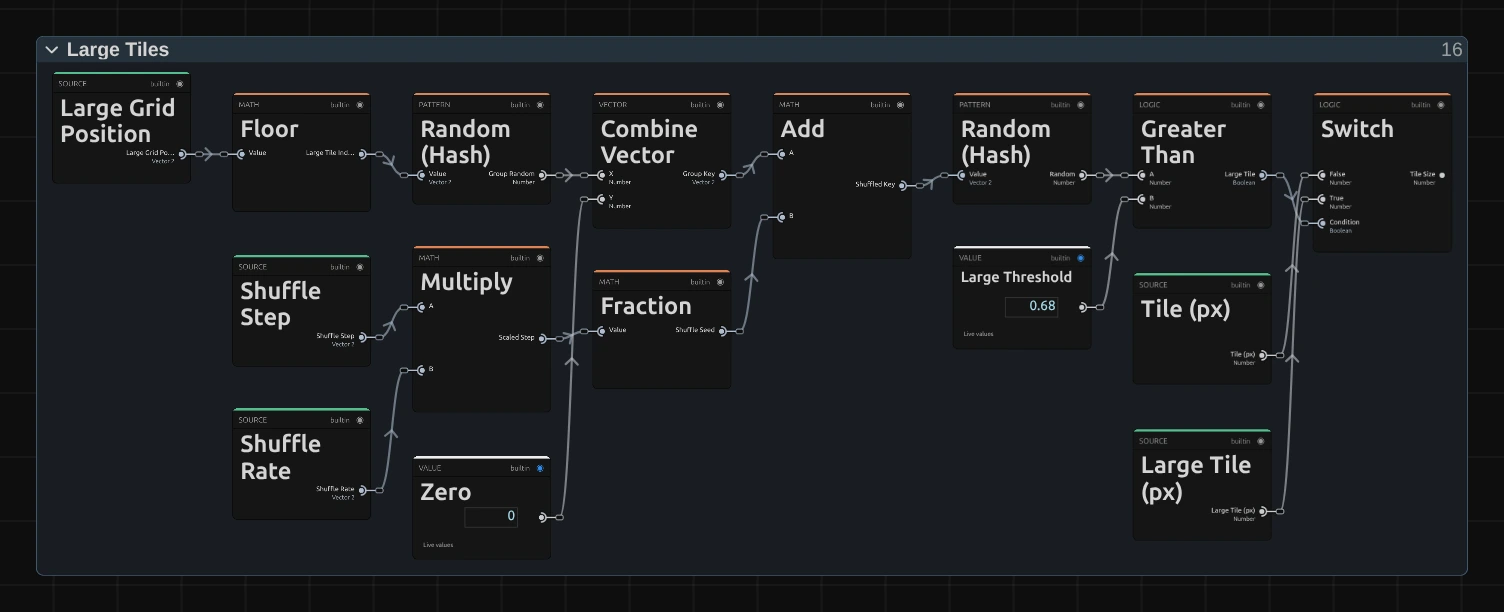
Floor numbers every square group of 2 × 2 tiles, and Random (Hash) gives each group its own random number. The Shuffle Step counts up Speed times per second; Multiply and Fraction turn it into a Shuffle Seed that jumps to a new value at every step. Combine Vector and Add mix group and seed, and the second Random (Hash) turns that into a number between 0 and 1, new for every group at every step. Greater Than makes a large tile wherever it is above Large Threshold: about one group in three. Switch hands the grid the large or the small tile size.
Remix: select Large Threshold and lower it in the node inspector, for example to 0.4, so more than half of the groups become large tiles; 1 turns them off.
Technical details
Section titled “Technical details”- Large tiles. Each 2 × 2 group is hashed, a seed of fract(step × (0.618, 0.755)) is added and the result hashed again; a group is large above 0.68. The step is floor(time × Speed) on the timeline clock, so seeking and the export repeat it.
- Grout is split over both sides of every tile edge, with a one-pixel soft edge. In a small preview thin grout lines look softer than in the export.
- Small sizes. A Tile Size below two rendered pixels is raised to 2 pixels, and the inspector says so.
- Saved projects made with the earlier Block Mosaic open with the 1080p-based sizes, the centred grid and averaged colours, and keep a 1-pixel grout in its darker colour.
Grid, sizes and transparency: Pixel & Mosaic. Recipes: Effect system: editable mirror, split and pixel graphs. Nodes: Node Catalog.