
Mirror
Reflects one half of the picture onto the other for perfect symmetry, with a seamless mirror line. For reflections in water, doubled figures and symmetric emblems.
Group: Lens & Distort · How to add an effect
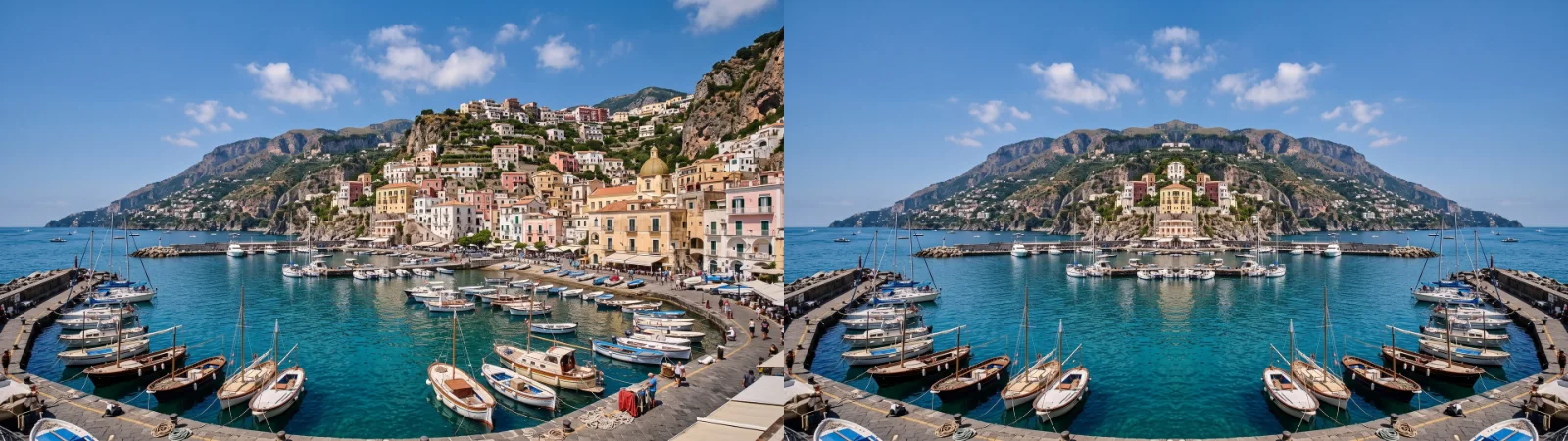
Use it for: a calm reflection in water · a symmetric face, body or building · a dancer facing herself · an emblem made from any picture.
- Left / Right and Top / Bottom – which mirror lines are on.
- Keep – which side is kept and copied.
- Center X / Center Y and Angle – move and turn the mirror lines.
Tip: on a landscape, turn on only Top / Bottom and move Center Y onto the horizon: the land then lies in still water.
Presets
Section titled “Presets”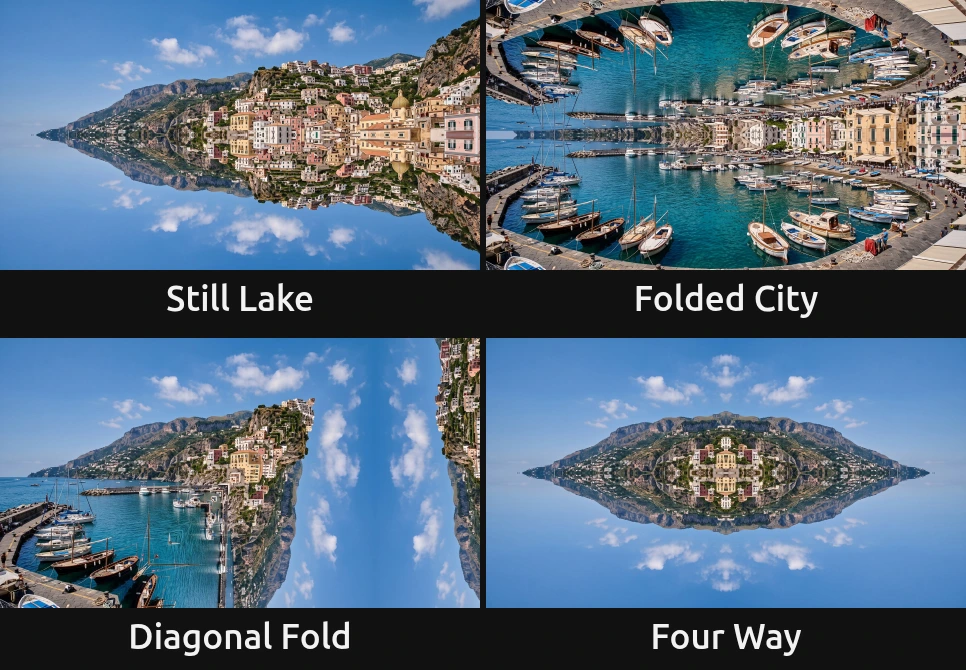
Pick one in the Preset row of the effect card. It sets all controls at once, in one undo step, and the row then shows its name until you change something. A control with keyframes keeps them, and the card says so. Each preset also sets Angle: three level the line, Diagonal Fold turns it to 45°. Center X / Center Y go back to the middle of the frame and Frame Edges to Mirror: move the line onto your subject after the preset.
Still Lake – only Top / Bottom, keeping the top: the upper half lies upside down below it, as in still water. Move Center Y onto the horizon or the shoreline.
Folded City – only Top / Bottom, keeping the bottom: the ground folds up into the sky and closes over the picture, as in a dream where the street bends upwards.
Diagonal Fold – only Left / Right, with Angle at 45°: the line is turned, so the picture folds along a slant and the town meets its own mirror image at a tilted seam. The only preset that turns the line.
Four Way – both lines, keeping the top-left quarter: the quarter appears four times around the centre, like an emblem or a coat of arms.
Controls
Section titled “Controls”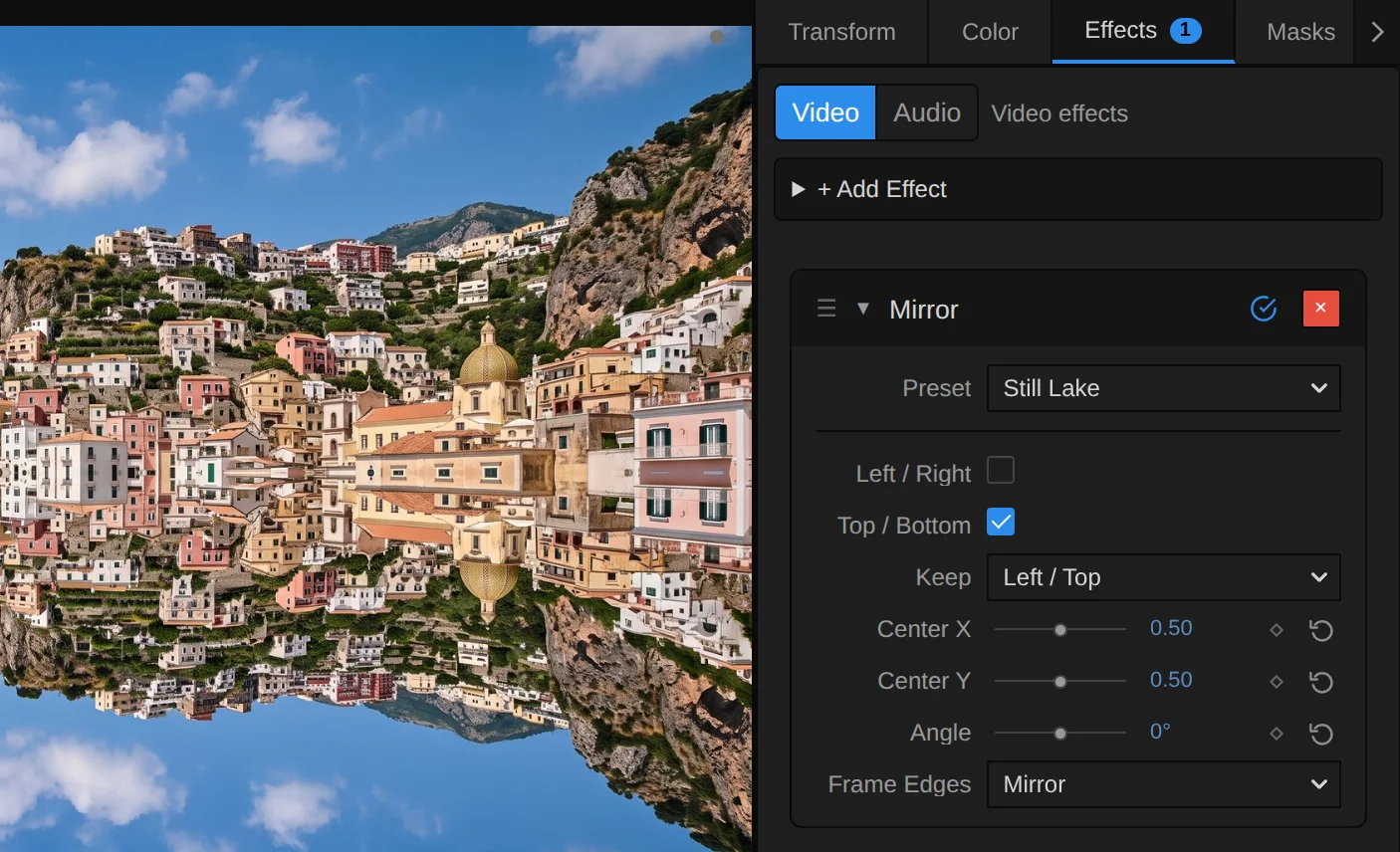
Preset – a starting point for the mirror lines, the kept side and Angle; see Presets.
Left / Right – mirrors across the upright line through the centre: one half appears again, flipped, on the other side. With Top / Bottom also on, one quarter fills all four. With both off the picture passes through unchanged, and the card says so. A switch: on or off, default on.
Top / Bottom – mirrors across the level line through the centre: the top half appears again, upside down, at the bottom (or the other way round with Keep). A switch: on or off, default off.
Keep – which side is kept and copied over the other. Left / Top keeps the left half and the top half, Right / Bottom the right and the bottom. The sides turn with Angle: at 90° Left / Right keeps the top. Left / Top, Right / Bottom, default Left / Top.
Center X – where the upright line sits across the picture: 0 is the left edge, 1 the right edge. Off the middle, the kept side is larger or smaller than the other; when it is the smaller one, its reflection runs out of picture and Frame Edges fills the rest. 0 to 1, default 0.5.
Center Y – where the level line sits from top to bottom: 0 is the top edge, 1 the bottom edge. Put it on a horizon for a reflection in water. 0 to 1, default 0.5.
Angle – turns both mirror lines around the centre, as an angle on screen. 45° gives a diagonal reflection; at 90° the two lines swap places, and at ±180° the kept sides swap. Keyframe it for a reflection that turns. −180 to 180°, default 0°; a typed or keyframed angle may go further and goes round again.
Frame Edges – what fills in where the reflection reads from beyond the frame, which happens when the line is off the middle or turned. Mirror reflects the picture again at the edge, so the picture keeps going; Clamp repeats the outermost pixels into streaks; Transparent leaves those places empty, so the layer below shows through. Mirror, Clamp, Transparent, default Mirror.
Node setup
Section titled “Node setup”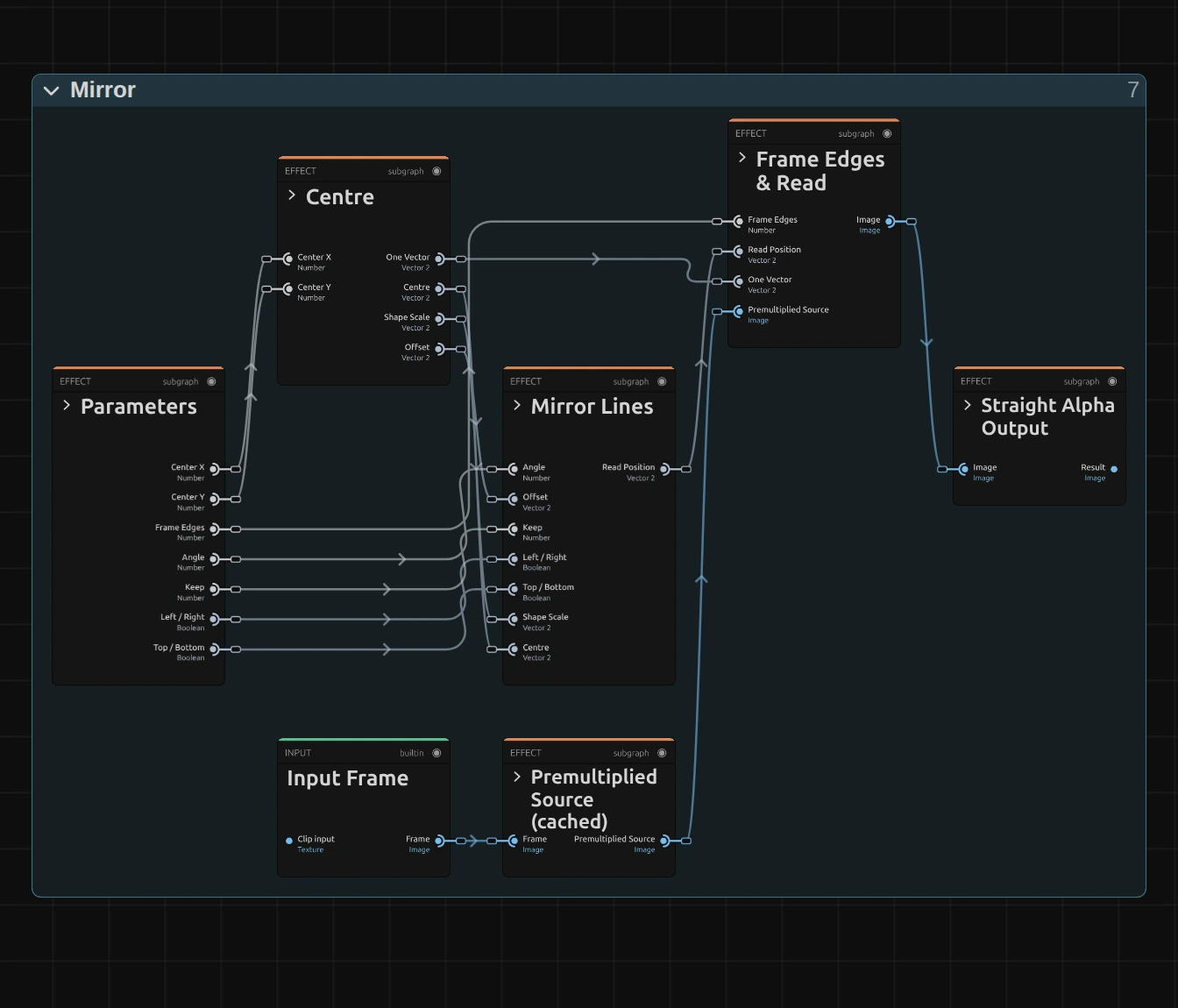
Mirror does not paint anything: it moves where each pixel reads, like every effect in its group (the shared idea). Centre works out where a pixel sits from the crossing of the mirror lines, Mirror Lines folds that place onto the kept side, Frame Edges & Read reads the picture there, from the Premultiplied Source prepared once per frame, and Straight Alpha Output turns the result back into a normal picture. Click a folder’s header to open it; the sections below show what is inside.
Centre
Section titled “Centre”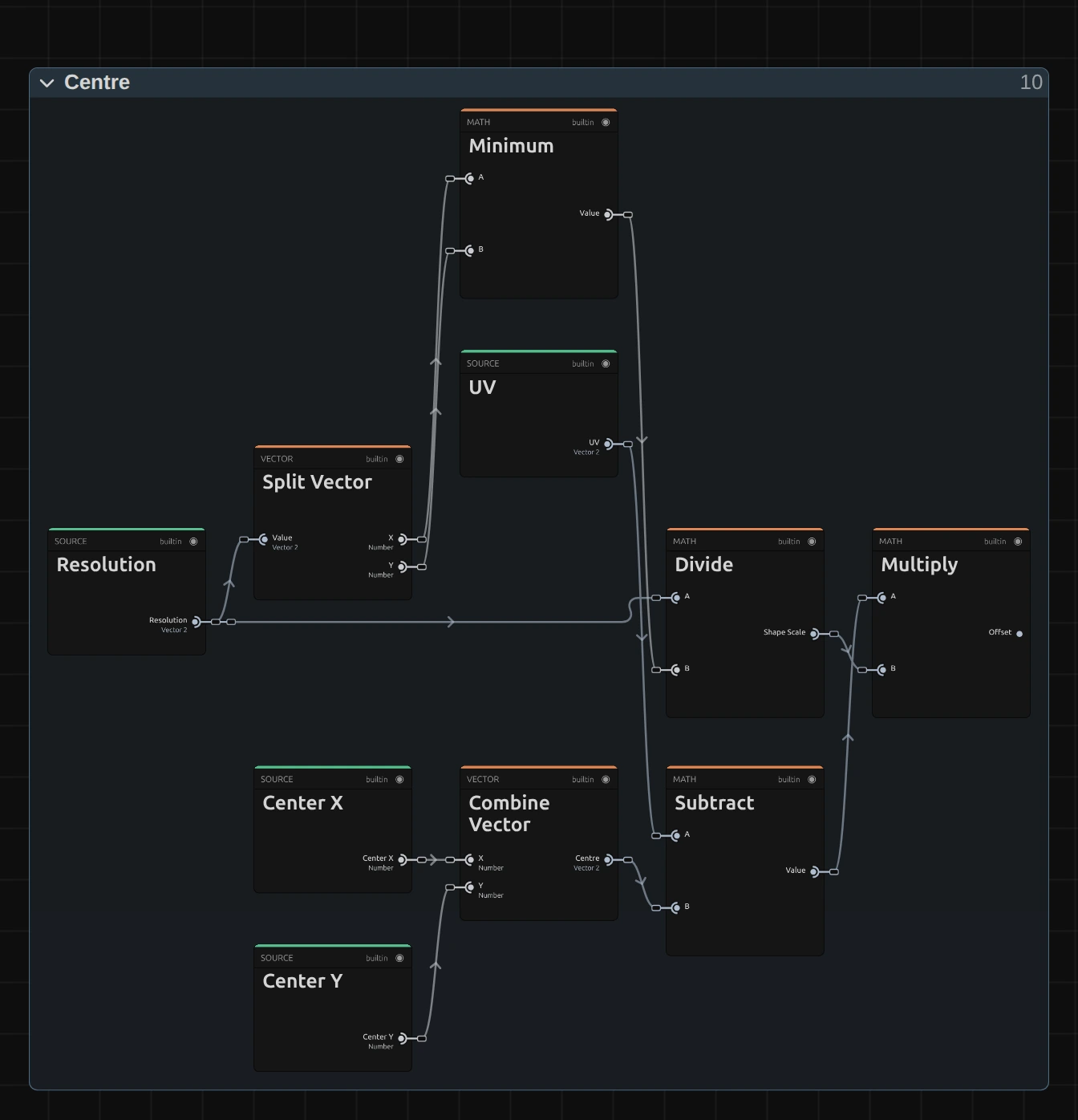
Combine Vector – joins Center X and Center Y into the Centre, where the mirror lines cross.
Minimum – the shorter side of the frame in pixels, from the width and height that Split Vector takes out of the resolution.
Divide – the resolution divided by the shorter side: the Shape Scale. It measures both directions in the same unit, so Angle is a true angle on screen on a wide or a tall frame.
Multiply – the Offset: the pixel’s place (UV) minus the Centre, times the Shape Scale. It says how far and in which direction the pixel lies from the crossing of the lines.
Mirror Lines
Section titled “Mirror Lines”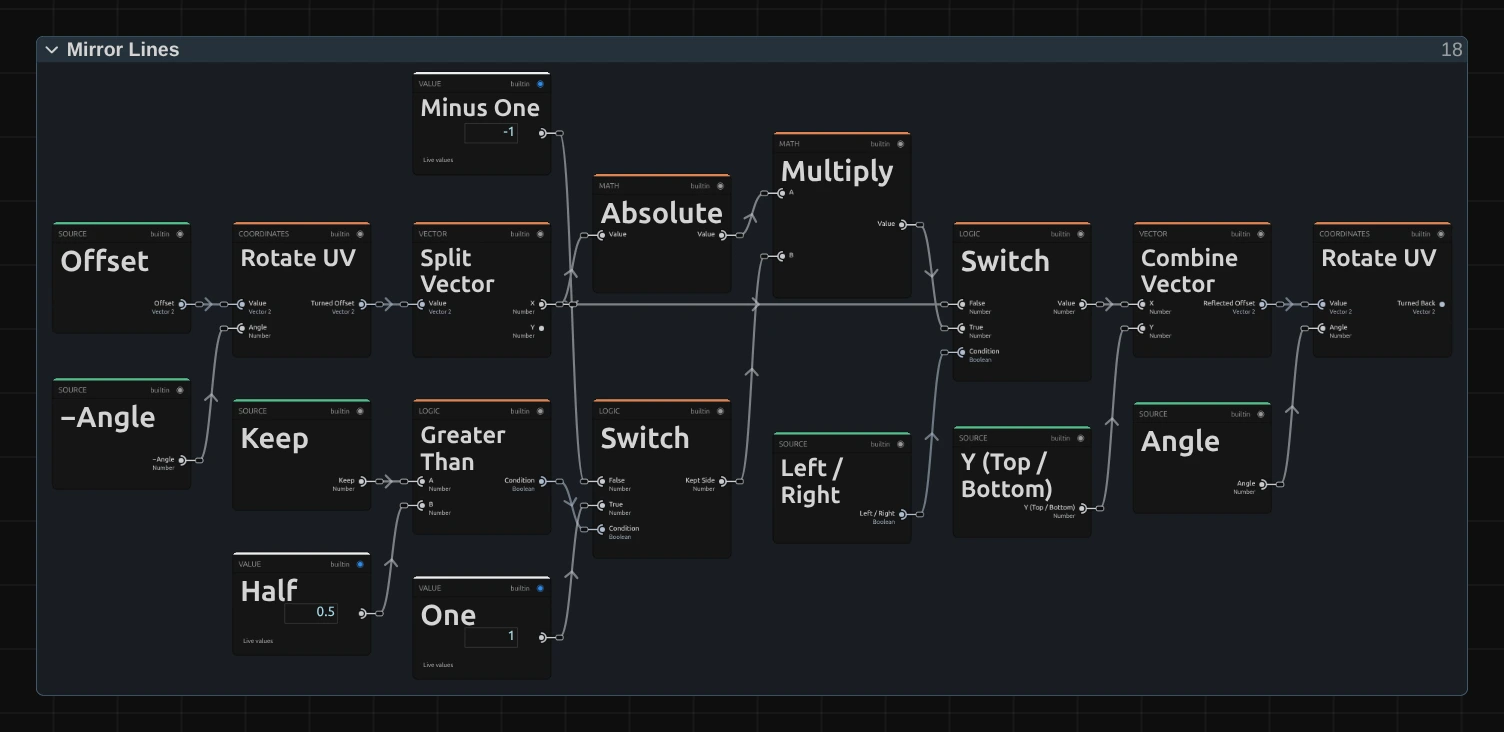
Rotate UV – turns the Offset by −Angle, so in the turned frame the mirror lines are upright and level again. Split Vector then takes the Turned Offset apart into X and Y.
Switch – the Kept Side: −1 for Left / Top and +1 for Right / Bottom, picked by comparing Keep with Half.
Absolute – the whole trick: it turns −0.3 and +0.3 into the same 0.3, so a pixel and its mirror image read the same spot. The Multiply next to it gives the result the sign of the kept side, so both read from that side.
Switch – uses the mirrored X while Left / Right is on and the raw X while it is off. Combine Vector joins it with the Y of the top-bottom strand into the Reflected Offset.
Rotate UV – turns the Reflected Offset back by Angle. Divide by the Shape Scale and Add the Centre (not shown) then give the Read Position.
Remix: for a hall of mirrors, add a Mirror Repeat node between Absolute and the Multiply, and feed its Period from a Value of 0.5. The picture next to the line now reflects back and forth in strips a quarter of the picture height wide.
Premultiplied Source
Section titled “Premultiplied Source”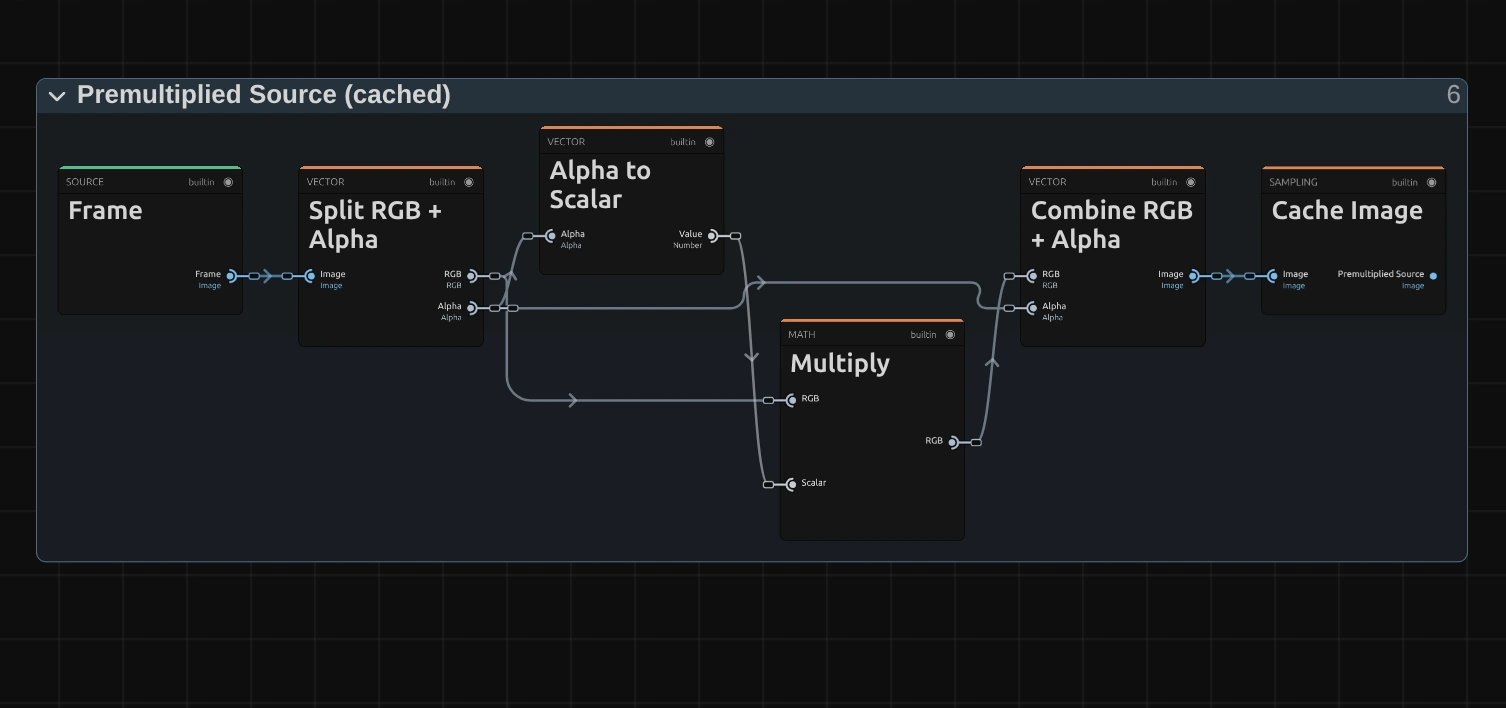
Multiply – multiplies every pixel’s colour by its transparency. When the read later blends two neighbouring pixels, a transparent one then adds no colour, so a cut-out figure keeps clean edges at the mirror line instead of a dark rim.
Cache Image – keeps the prepared picture, so it is made once per frame, not once per pixel.
Frame Edges & Read
Section titled “Frame Edges & Read”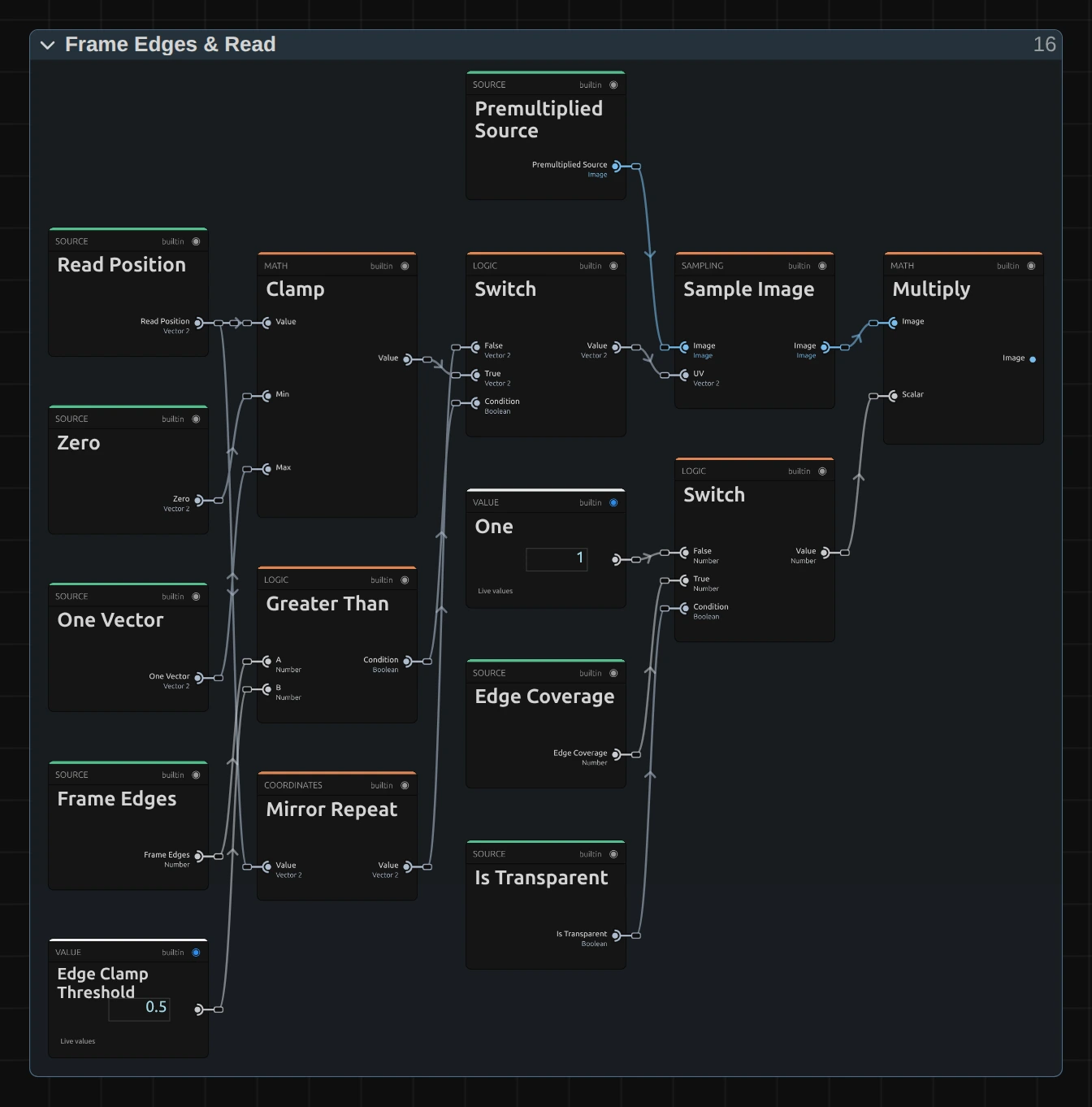
Mirror Repeat – folds a Read Position beyond the frame back in, as in a mirror: the Mirror choice.
Clamp – holds the Read Position between Zero and One, so it stops at the outermost pixel: the Clamp choice, and the base of Transparent.
Switch – picks the mirrored or the clamped position. Greater Than compares Frame Edges with 0.5: Mirror is the only choice below it.
Sample Image – reads the Premultiplied Source at that position, blending the four nearest pixels.
Multiply – scales the read by One, or for Transparent by Edge Coverage, which falls from 1 to 0 within one pixel of the frame edge. Places that read from beyond the frame turn empty with a soft edge.
Straight Alpha Output
Section titled “Straight Alpha Output”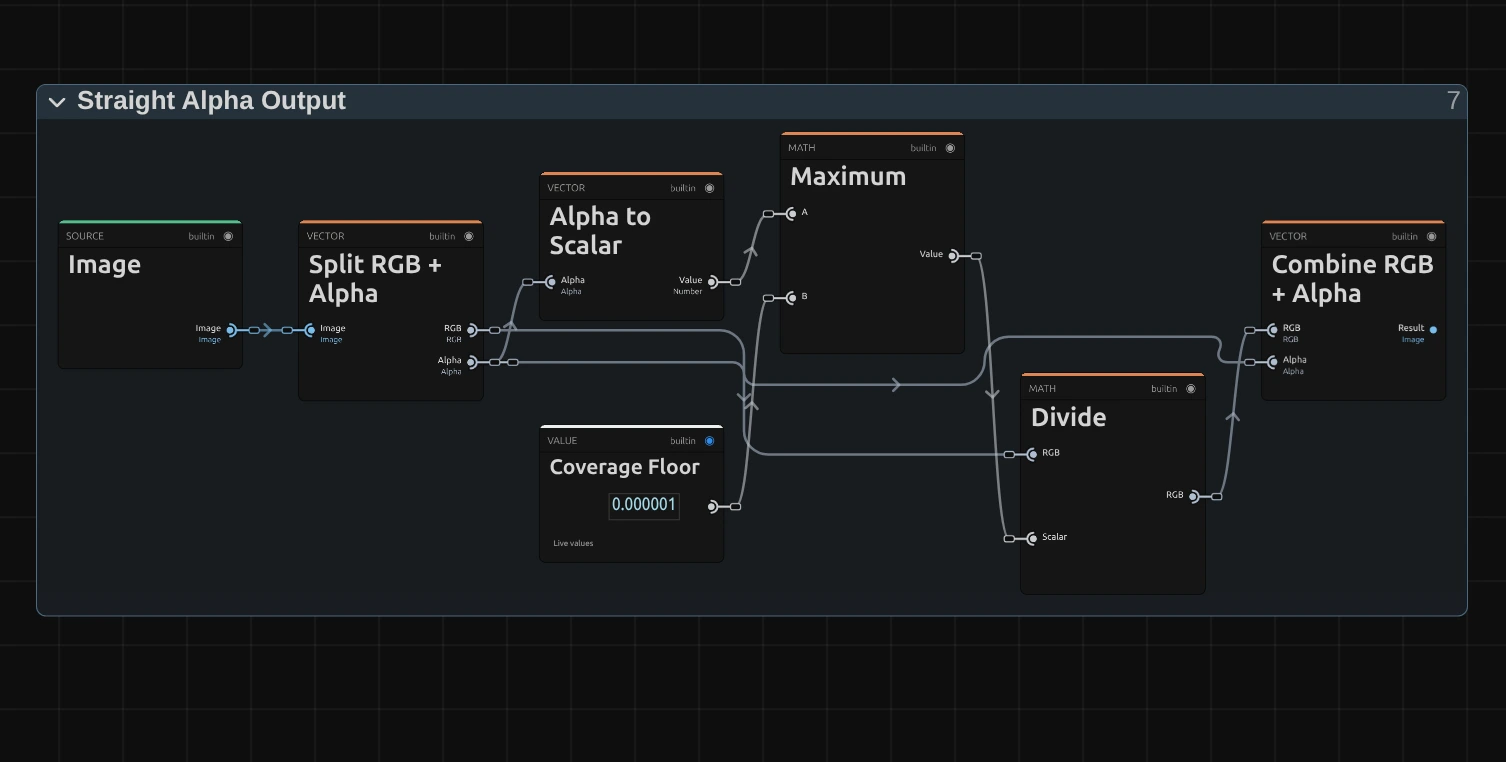
Maximum – keeps the transparency above a tiny Coverage Floor, so a fully transparent pixel never divides by zero.
Divide – divides the colour by the transparency again: the step back from the Premultiplied Source, so half-transparent edges keep their real colour.
Combine RGB + Alpha – joins colour and transparency into the finished picture that goes on to the next effect.
Technical details
Section titled “Technical details”- Fold. Offsets are measured in units of the shorter frame side, so Angle is an on-screen angle on any frame. Each line that is on keeps one side in the turned frame, so the reflection is continuous at the line: no gap and no doubled row.
- Units. Angle is stored in radians and shown in degrees; keyframe lanes, MIDI and tools use radians. Center X and Center Y are shares of the frame, so a 4K export, a portrait frame and the thumbnails show the same reflection.
- Off. With Left / Right and Top / Bottom both off, the picture passes through unchanged and the card says so. An unknown Keep value from a tool reads as Left / Top and is reported.
- Transparency. The picture is read premultiplied, so cut-out figures keep clean edges; the preview and the export match. Mirror does not move with time: a still frame stays still.
- Saved projects keep their look; diagonal mirror lines point exactly along the on-screen angle.
- More: Effect system: Lens & Distort · Editable mirror, split and pixel graphs · Mirror Repeat in the Node Catalog · Styles and presets.