
Film Grain
Adds the fine, living texture of film. The grain changes on every frame, is strongest in the mid-tones and keeps its size at any resolution.
Group: Analog & Glitch · How to add an effect
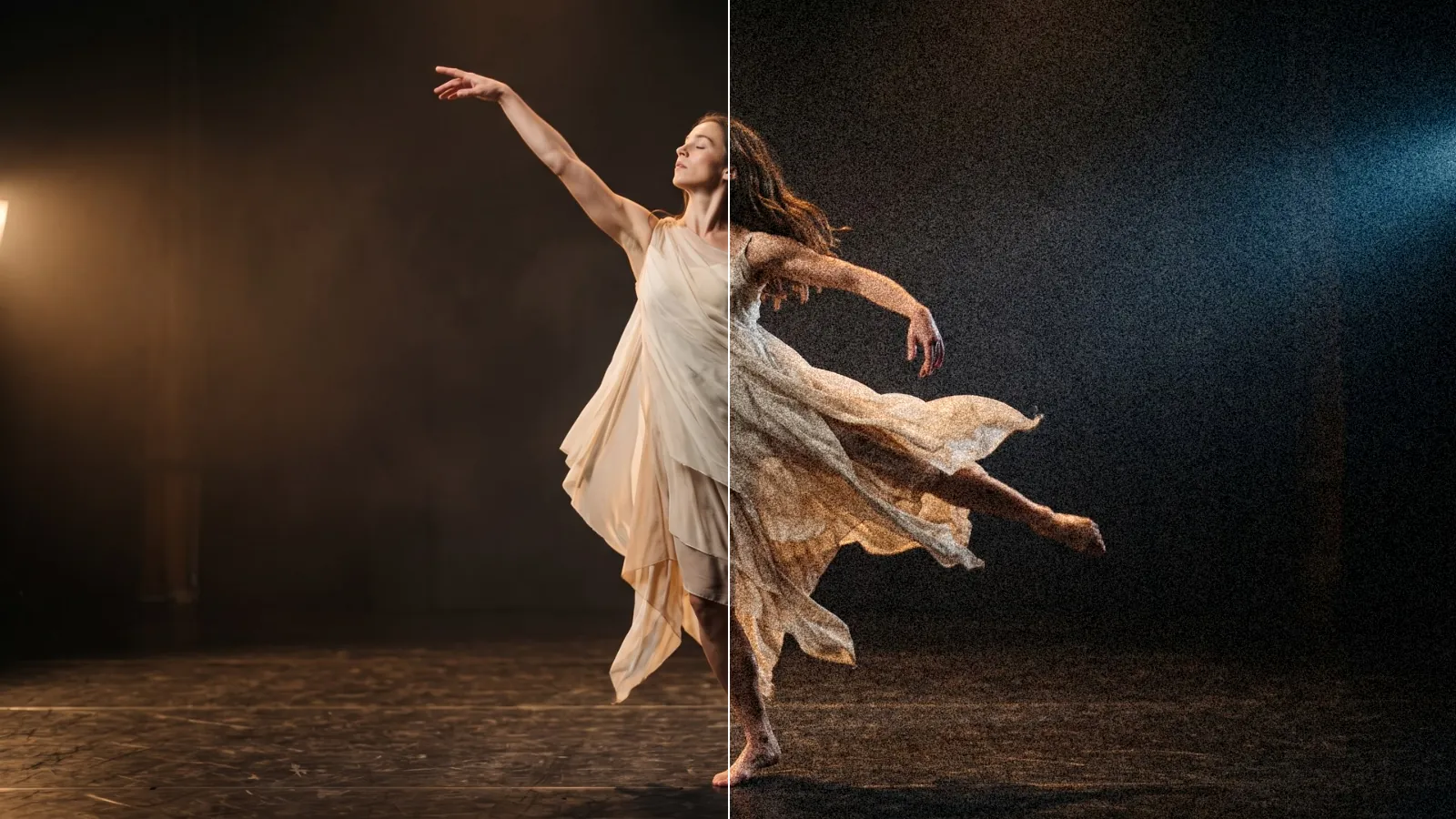
Use it for: a filmic texture on clean digital footage · blending shots from different cameras · hiding banding in dark gradients.
- Amount – how strong: 0.1 is subtle, 0.3 a heavy, grainy look.
- Size – 1 is fine like 35 mm film, 2–3 coarse like 16 mm, 5 big, soft clumps.
- Speed – 1 gives new grain on every frame, 0 freezes it.
- Color – 0 is black-and-white grain, 1 lets every colour channel have its own grain.
Tip: change Seed to give two layers with the same settings different grain, so stacked clips do not share one pattern.
Controls
Section titled “Controls”| Control | Range | Default |
|---|---|---|
| Amount | 0 to 0.5 | 0.1 |
| Size | 0.5 to 5 | 1 |
| Speed | 0 to 1 | 1 |
| Color | 0 to 1 | 0 |
| Seed | 0 to 65535 | 0 |
The effect card also has controls of its own that this table does not list.
Node setup
Section titled “Node setup”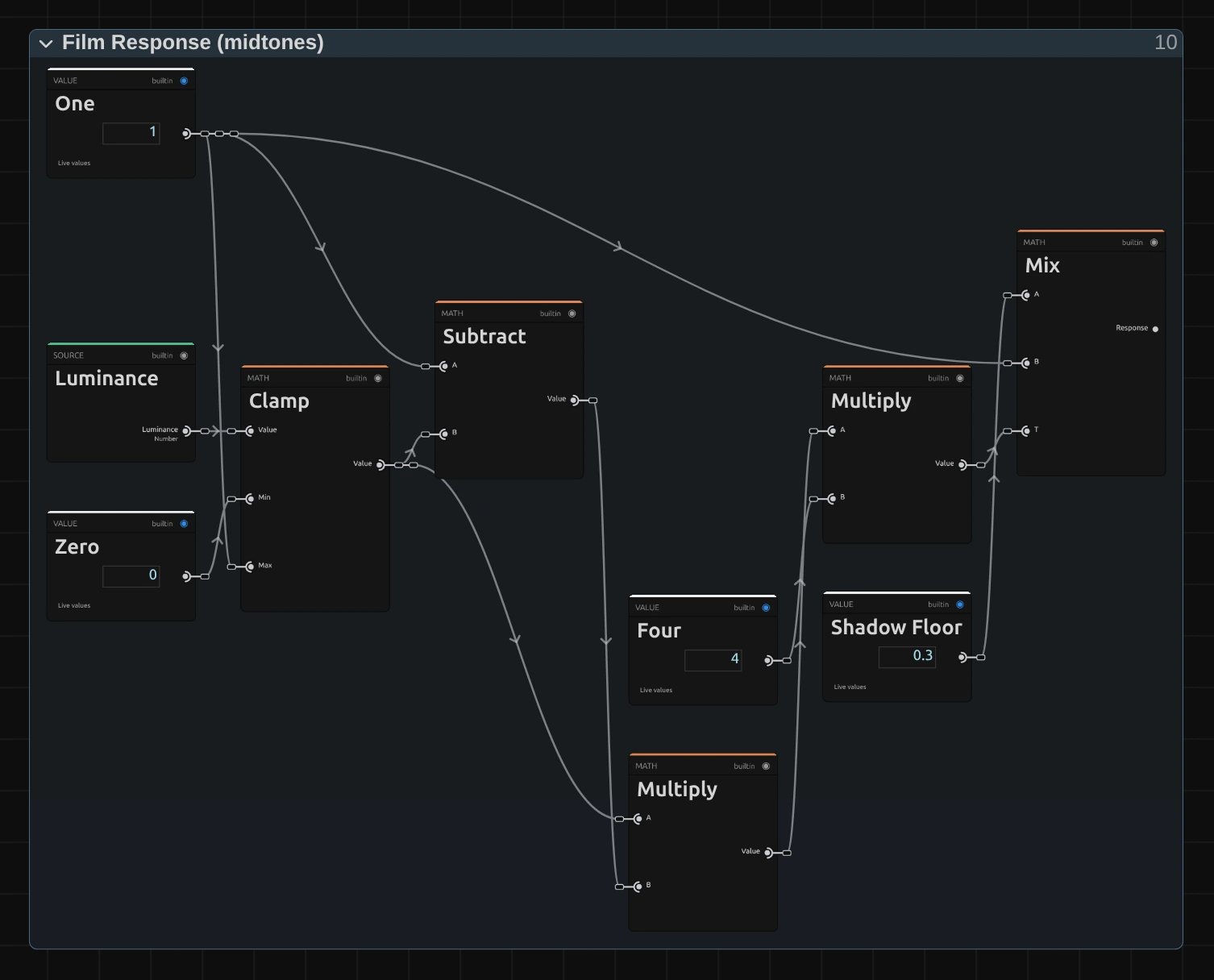
The grain itself comes from Random (Cell) nodes in the Smooth Noise folder: one random value per grain cell, blended smoothly between neighbouring cells. Three such layers, their grids turned by 0°, 30° and 60°, add up so no grid direction shows, even with coarse grain. Film Response then decides how much grain each pixel gets, from its brightness: all of it in the mid-tones and 0.3 of it (Shadow Floor) in pure black and white, as on film.
Remix: select Shadow Floor and set its value to 1 in the node inspector for grain that is equally strong everywhere, like digital sensor noise; 0 keeps black and white completely clean.
Technical details
Section titled “Technical details”- Units. Size is in pixels of a 1080p frame and scales with the rendered size, so preview, export and 4K match.
- Noise. Three layers of value noise from Random (Cell) (an integer PCG hash, identical on
every GPU and in software). A new pattern every
round(time × 60 × Speed), its offset hashed from that whole number and Seed (exact for 77 hours at 60 patterns a second). The grain averages to zero, so the picture never pumps; its standard deviation is 0.35 × Amount in the mid-tones. - Color blends the shared grain towards one grain per channel. Speed above 1 changes nothing more and is reported.
- Saved projects. A Film Grain saved before 2026-10-21 keeps its earlier noise (Color has no effect on it); its card offers Use the new Film Grain.
- Shared notes on stylize recipes: Light & Stylize. Formulas: Effect system; blocks: Node Catalog.