
Pixelate
Rebuilds the picture from squares, each in the average colour of what it covers. Use it for mosaic looks or to hide a face or a sign.
Group: Pixel & Mosaic · How to add an effect
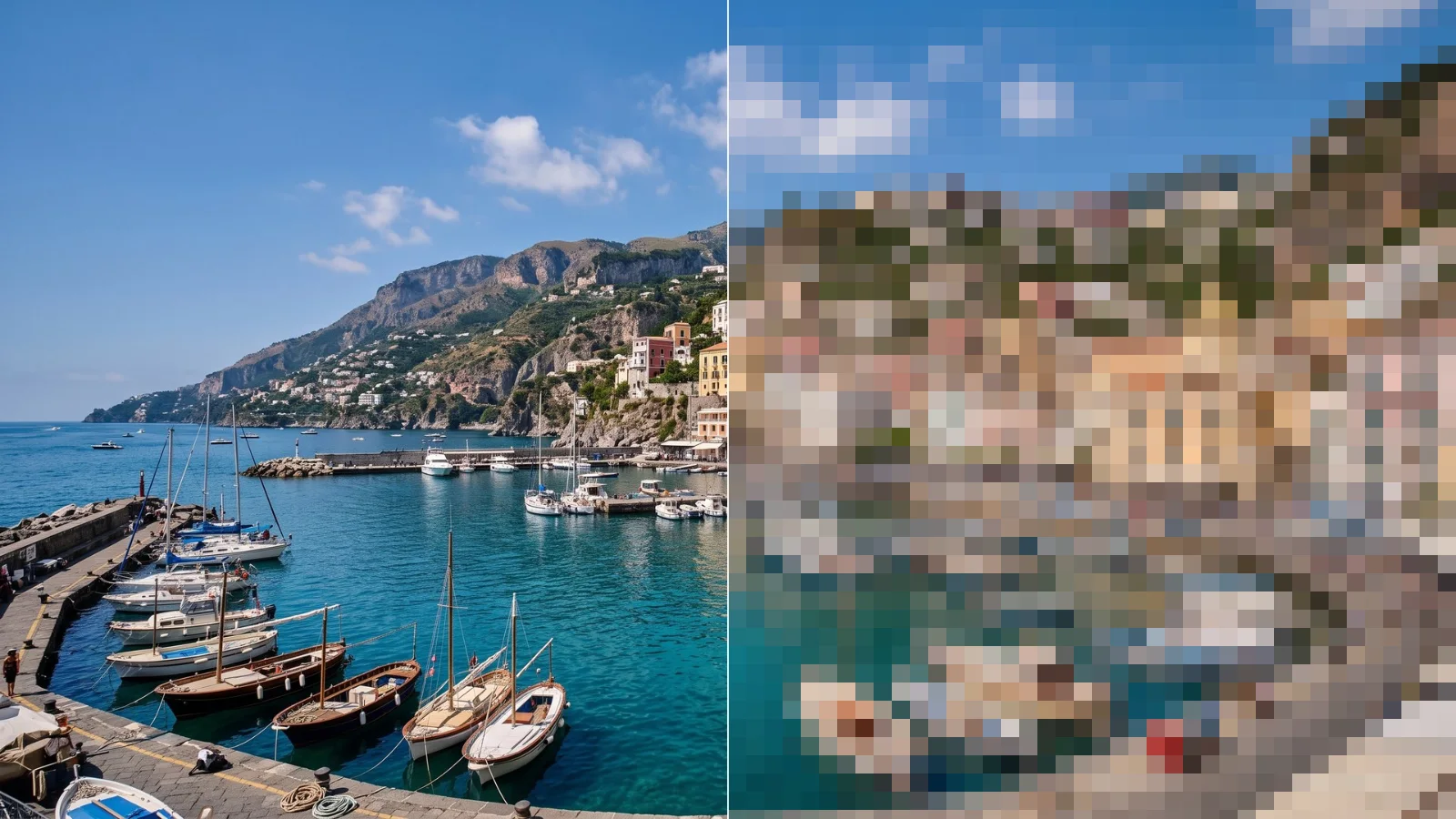
Use it for: hiding a face, a sign or a number plate · a reveal from blocks to the clear picture · a digital, low-resolution look.
- Pixel Size – the size of the squares, measured on a full-HD picture: they stay the same part of the picture at any resolution. 12 (the default) is clearly pixelated, 30 and more hides faces; 0 leaves the picture unchanged.
Tip: animate Pixel Size down to 0 for a reveal; the squares shrink towards the middle of the picture until it is clear. To hide only a face, put a mask on the clip or the effect.
Controls
Section titled “Controls”| Control | Range | Default |
|---|---|---|
| Pixel Size | 0 to 128 | 12 |
Node setup
Section titled “Node setup”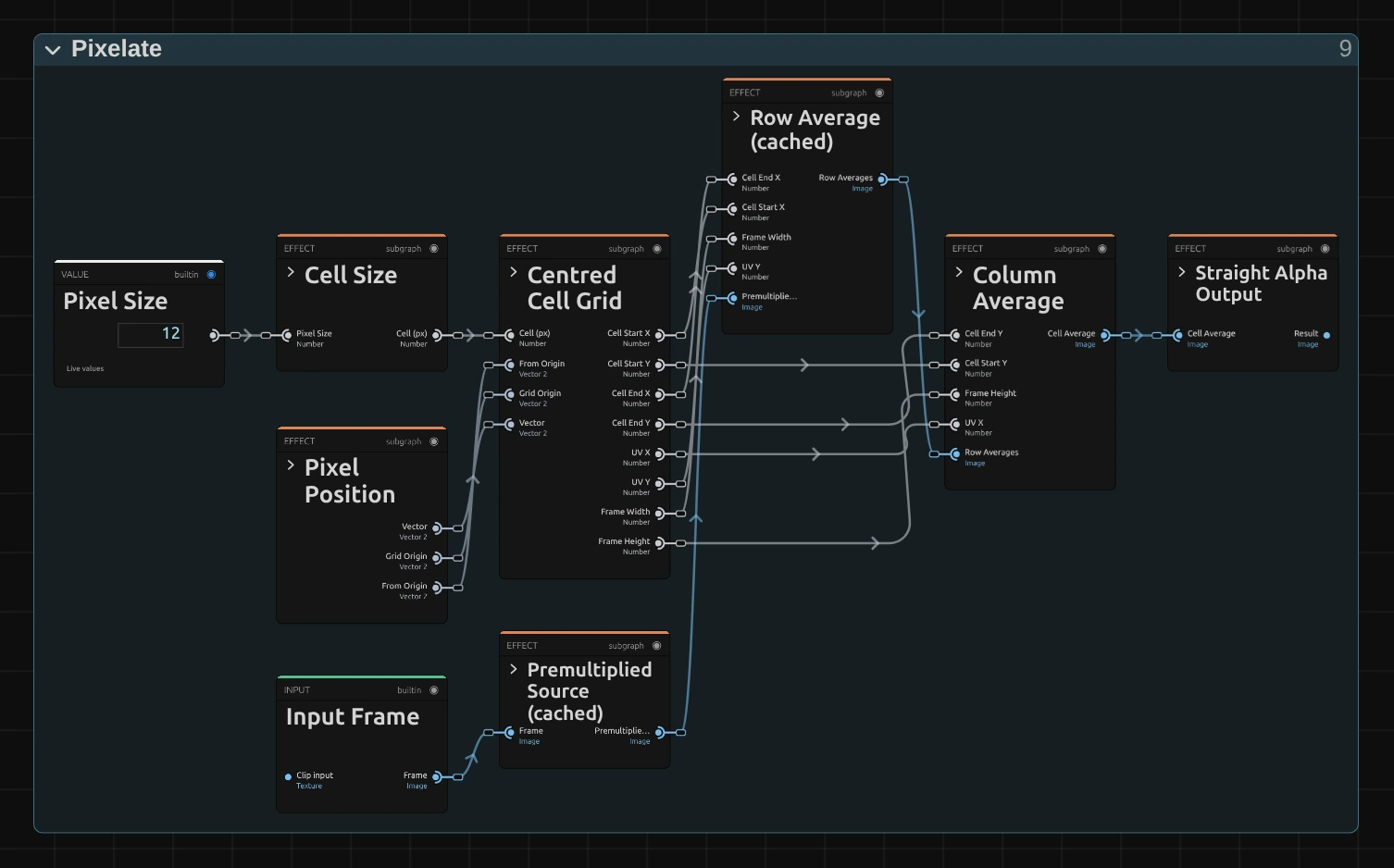
Cell Size turns Pixel Size into whole pixels of the rendered frame. Centred Cell Grid finds, for every pixel, where its cell starts and ends. Row Average averages each row of the cell and keeps the result; Column Average then averages those rows. Two short passes are much cheaper than reading the whole cell for every pixel.
Remix: connect the output of Premultiplied Source to the input of Column Average, in place of the cable from Row Average. Each pixel then averages only straight down its cell, and the picture breaks into vertical streaks, like a view through ribbed glass.
Technical details
Section titled “Technical details”- Size 0. A Pixel Size that rounds to one rendered pixel or less leaves the picture unchanged; only a negative size is reported.
- Transition. The Mosaic Glitch transition animates Pixel Size from and to 0, so its cuts stay clean at 4K too.
- Saved projects made with the earlier Pixelate open with the 1080p-based size, the centred grid and averaged colours, so their squares can look different.
Grid, sizes and transparency: Pixel & Mosaic. Recipes: Effect system: editable mirror, split and pixel graphs. Nodes: Node Catalog.