
Perspective Grid
A glowing floor grid that runs to a vanishing point and scrolls towards the viewer: the classic retro stage floor. Its lines stay crisp at any size and melt into a soft haze near the horizon.
Group: Generate · How to add an effect
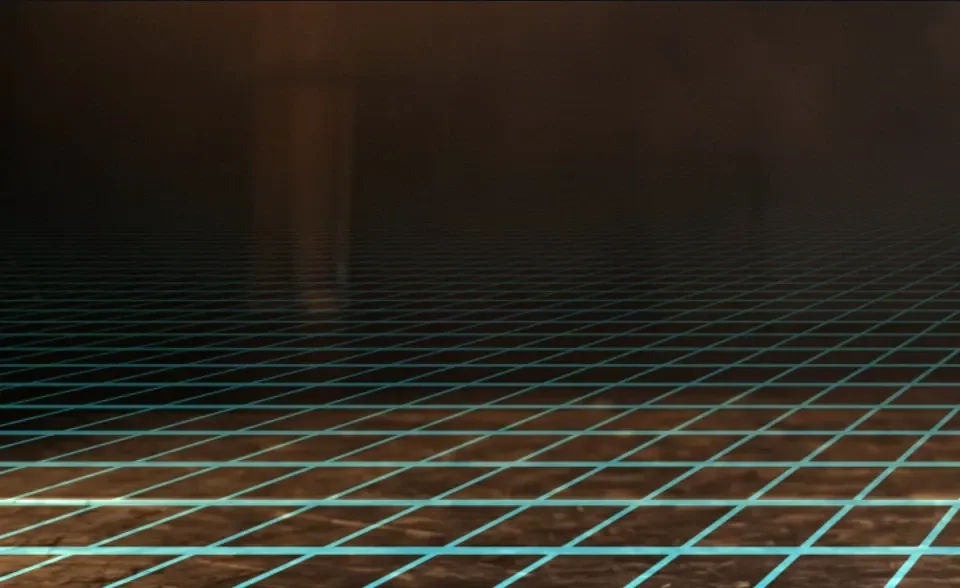
Use it for: a retro synthwave floor · a virtual stage floor under a performer · a moving background for titles.
- Horizon – where the floor ends, measured from the top of the picture.
- Columns and Row Density – how many lines; more rows make the floor look deeper.
- Line Width – thickness of the nearest lines, in pixels of a 1080p frame. Lines Thin with depth makes them thinner further away, like lines painted on a floor; Even width keeps every line equally thick.
- Speed – rows per second towards the viewer; negative values run away. Keyframe it to speed up or stop the floor smoothly. Scroll Offset shifts the floor by whole or part rows.
- Horizon Fade – how much the lines dim towards the horizon: higher values dim more of the floor, 0 keeps them bright up to the horizon.
- Blend – Add makes glowing lines of light; Normal paints solid lines, which can also be dark.
Tip: put Horizon on the real floor line of the shot, then lower Opacity until the grid sits on the stage. The grid is drawn over everything in its layer; to keep a performer in front, put the grid on a Blank clip above the shot and, on the track above the grid, a copy of the shot masked to the performer.
Controls
Section titled “Controls”| Control | Range | Default |
|---|---|---|
| Grid | ||
| Horizon | 0 to 98% | 66% |
| Columns | 1 to 200 | 14 |
| Row Density | 0.5 to 60 | 6 |
| Line Width | 0 to 16 px | 3 px |
| Lines | Thin with depth, Even width | Thin with depth |
| Motion | ||
| Speed | −20 to 20 rows/s | 1.5 rows/s |
| Scroll Offset | −1000 to 1000 rows | 0 rows |
| Look | ||
| Line Color | a colour | #2ee6ff |
| Opacity | 0 to 1 | 0.8 |
| Horizon Fade | 0.05 to 6 | 1.4 |
| Blend | Add (glow), Normal (solid) | Add (glow) |
Node setup
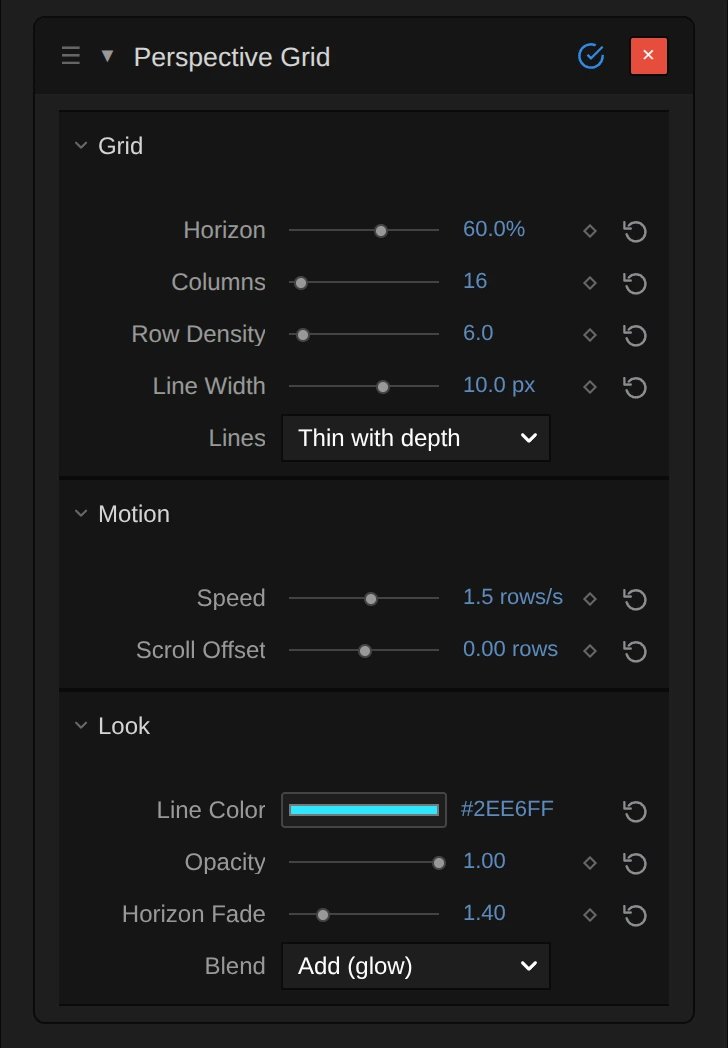
Section titled “Node setup”Perspective Grid draws its picture in one built-in step: there is no graph to open. Everything you can change is in its card, with units, a ◇ to set keyframes and ↺ to reset.
Technical details
Section titled “Technical details”- Units. Horizon is a share of the height (0–0.98). Line Width is stored as the half width in pixels of a 1080-px-tall frame and scales with the output height, so preview and export match. Lines Thin with depth keeps that width on the floor; Even width keeps 2 × Line Width plus a one-pixel soft rim everywhere.
- Filtering. Lines are filtered analytically: thin lines keep their share of brightness, and dense lines become a haze that fades towards the horizon over a 1.5-pixel soft edge.
- Limits. Columns render up to 2000, Row Density up to 1000, Line Width up to 1000 and Horizon Fade up to 100; values beyond are named in the inspector.
- Speed is a rate: a keyframed Speed speeds up and slows down smoothly (keyframed rates).
- Saved projects. Grids saved before the Lines choice render with Even width. New defaults (Opacity 0.8, Line Width 3 px, Thin with depth) apply only to new instances. Line widths are exact at 1080p and scale with the output, so in a 540p preview they look about half as thick as in older versions and match the export; below Horizon Fade 1 the dense lines near the horizon fade out instead of forming a solid band.
More: Effect system.