
App updates
When a new version of MasterSelects goes live while you are working, the editor tells you quietly and updates with one click, without losing any work.
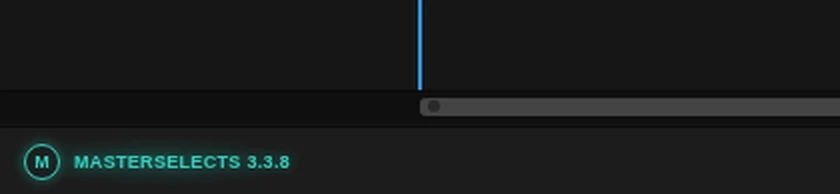
- The brand glows. “MasterSelects” with its version number, bottom left in the workspace bar, glows turquoise and slowly pulses. Hold the pointer over it to see which version is ready.
- Click it to update. The editor saves your project, waits for media that are still being copied into the project, then loads the new version. Your project opens again as you left it.
- A running export is never interrupted. The editor asks first: Update after export waits for the export and then updates, Not now keeps working on this version.
- Click the brand to check now. Without a new version, a click on the brand asks the server right away. A small note above it says Checking…, then Up to date (3.4.1) for about two seconds, or the brand starts glowing at once when a new version is there.
Tip: you do not have to update right away. The brand keeps glowing until you click it or reload the page yourself.
Options
Section titled “Options”The glowing brand – appears only when the server has a different version than the one you are using. A second upload of the same version does not make it glow. With reduced motion turned on in your system, it glows without pulsing. The keyboard reaches it with Tab like every other button.
Check for updates – the brand without a new version. Hold the pointer over it to see the running version. A click checks at once, in any open MasterSelects tab, and every tab learns the answer. The note above the brand reads:
| Note | Meaning |
|---|---|
| Checking… | The editor is asking the server. Clicking again does not ask twice. |
| Up to date (3.4.1) | You run the newest version. The note goes away after about two seconds. |
| Check failed | No connection, or the server sent no version info. The editor log says why. |
| Update checks are off | Update checks are turned off in this browser (see Technical details). |
When the check finds a new version, the brand glows right away and the next click updates as described above. The note floats above the bar, so nothing in the bar moves. In a window narrower than 720 px the brand is hidden until a new version is ready.
Update after export / Not now – shown only when you click the brand while an export runs. While the editor waits or saves, the small window says what it is doing; Cancel stops waiting (a save that has already started still finishes).
On the phone – the phone editor at /m shows a turquoise Update button with a circular arrow in
its top bar, next to the project name, as soon as a new version is ready. A tap does the same as the
brand: save, wait for copies and exports, then reload. Settings → App → Check for update checks
by hand and offers Save and reload. It is the same check as a click on the brand: a version it finds
also shows the Update button in the top bar and reaches the other tabs. The phone top bar shows no
version number (it holds the project name and the editing actions), so the version and the manual check
stay in Settings.
Limits
Section titled “Limits”- The editor looks for a new version about every five minutes while its tab is in front, and right away when you come back to the tab or your connection returns. A tab in the background does not check.
- With several MasterSelects tabs open in one browser, only one visible tab asks the server and tells the others, so every tab glows at the same time. When that tab is closed or goes to the background, another visible tab takes over.
- Without a connection it simply tries again later; a version it already found stays announced.
- If the project cannot be saved, the editor does not reload and tells you why.
- Work that has no project or browser recovery behind it is still guarded by the browser’s own “Leave site?” question.
Technical details
Section titled “Technical details”- Version check (
src/services/appUpdate/appUpdateCheck.ts): fetches/build-info.json?check=<time>withcache: 'no-store', every 5 minutes plus up to 60 s of jitter, and onvisibilitychange(to visible) andonline, at most once a minute for those events. A clean release is compared by itsreleaseId(version and commit), so redeploying the same commit is not an update; local builds fall back tobuildId. An answer that is not JSON build info (dev server, SPA fallback) is “unknown”, never an update. Failures are logged once per failure streak (Logger.enable('AppUpdateCheck')). - Check by hand (
checkNow()inappUpdateCheck.ts): a click on the brand (or the phone’s Check for update) checks at once, pastUPDATE_CHECK_MIN_GAP_MS, also in a tab that does not poll; it posts itsresultlike every check, so all tabs publish the answer and the polling tab goes on from that check. A check that is already running is reused, and a repeat withinMANUAL_CHECK_REPEAT_MS(2 s) of an answer gets that answer again, so a double click sends one request; after a failure the next click asks again. The answer iscurrent,available,failed(unreachableorno-build-info) ordisabled. Each failed manual check is logged as a warning (Update check failed); the brand shows its note forMANUAL_CHECK_FEEDBACK_MS(useAppUpdateManualCheckinsrc/hooks/useAppUpdate.ts). The brand is one<button>in both states, so keyboard focus stays on it when the check finds a version. - Several tabs (
appUpdateTabs.ts): only the visible tab holding the Web Lockmasterselects-app-update-leaderpolls. A tab asks for the lock only while it is visible and releases it when it is hidden or stops, so a closed, hidden or frozen leader hands over to the next visible tab in the lock queue (no stealing); the new leader keeps the previous tab’s rhythm. Every answer goes out on the BroadcastChannelmasterselects-app-updateas the served build (version,buildId,releaseId), and each tab compares it with the build it runs itself, so tabs of different versions stay correct. A tab that comes back or reconnects postscheck; the leader checks unless any tab checked within the last minute, and otherwise re-sends its last answer (a tab that was frozen catches up). A new tab postshelloand gets the last answer. Without Web Locks or BroadcastChannel every tab checks on its own as before. - Dev server: the check is off, because Vite serves no build info.
localStorage['ms.updateCheck.enabled'] = 'true'turns it on there;'false'turns it off in a built editor. The flag also covers a click: with checks off the brand stays a button and says Update checks are off instead of asking the server, so a click never goes unanswered (the phone says “Update checks are off in this browser.”). The dev server’s own build has no release id, so it never reads as up to date; with the flag on, a click there says Check failed unless/build-info.jsonis routed. - Safe reload (
updateReloadFlow.ts, wired inreloadForAppUpdate.ts): asks whileisExportingis set (or waits for it after Update after export), waits forhasPendingProjectMediaCopies()to clear, saves withsaveCurrentProject({ source: 'manual' })(the browser recovery workspace is flushed withflushEditorRepository()), repeats when new copies or an export started during the save, then refreshes the HTTP cache entry of the page (fetchwithcache: 'reload'), removes a leftover service worker (the app registers none) and callslocation.reload(). Assets are content-hashed and deploys keep the assets of earlier releases (deploy:retain-assets), so the old tab keeps working until the reload. - UI:
src/components/common/WorkspaceBarBrand.tsx(desktop) andsrc/components/mobileSkin/shell/PhoneUpdateButton.tsx(phone) sharesrc/hooks/useAppUpdate.ts. Colours are the--update-availabletokens insrc/styles/tokens.css; the pulse animates only the opacity of a glow layer. - Tests:
tests/unit/appUpdateCheck.test.ts(also the manual check: past the gap, one request per double click, reuse of a running check, failures, flag off),tests/unit/appUpdateTabs.test.ts(simulated tabs: one request, every tab glows, handover, fallback, a non-polling tab checking by hand and telling every tab),tests/unit/workspaceBarBrand.test.tsx(notes, timing, latest click wins, same button keeps focus, pointer blur),tests/unit/phoneSettingsModel.test.ts,tests/unit/updateReloadFlow.test.tsand the journeytests/playwright/platform/app-update.spec.ts(the plain brand says checks are off, keeps the bar in place, takes Tab and Enter with a focus ring, says Check failed without build info, then finds a routed newer release by click, glows, and a click checks that a change made just before survived the reload; a second case opens two editor tabs and checks one request and two glowing brands). The phone journeytests/playwright/mobile/m3-settings.spec.tschecks that Settings’ check respects the flag and lights the top bar’s Update button.