
Lines & Engraving
Redraw the picture with lines: pen hatching, banknote engraving, contour maps and edge drawings. Add one in Properties → Effects → + Add Effect → Lines & Engraving (Using effects).
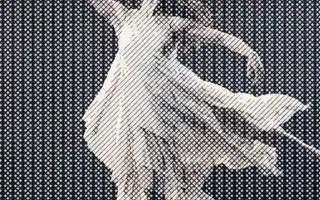 CrosshatchDraws the picture with crossing pen lines: more directions and heavier strokes where it is darker.
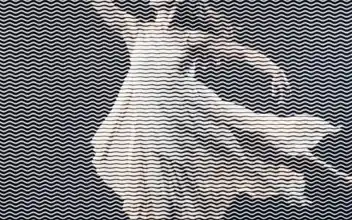 Vector EngravingDraws the picture with rows of wavy engraved lines: heavy and deeply waved where it is dark, fine and almost straight where it is light.
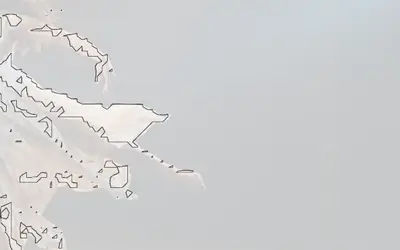 ContourDraws iso-contour lines where brightness crosses Iso Level, in Line color on Paper.
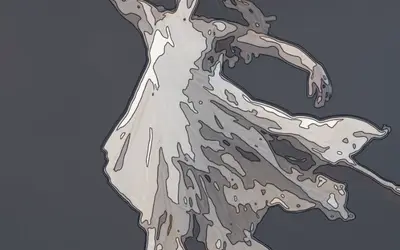 Contour MapTurns the picture into a map of its own light: bands from dark to light, like the height zones of a hiking map, with a fine contour line on every edge between two bands.
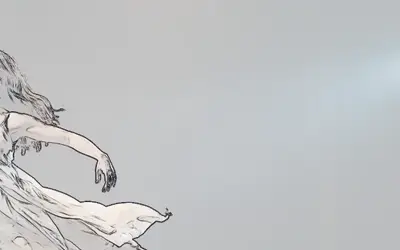 OutlineTurns the image into an edge drawing.
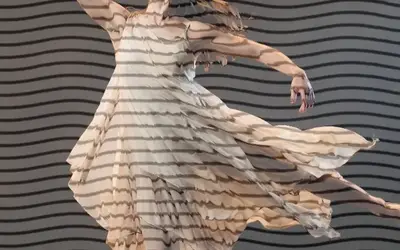 Wave LinesRedraws the picture as wavy lines on a plain background, a graphic line-art look.
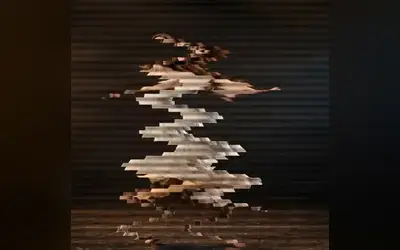 Drift LinesCuts the picture into thin bands that slide back and forth in a slow wave.
Which one?
Section titled “Which one?”| Look | Use |
|---|---|
| pen hatching, more and heavier lines where it is darker | Crosshatch |
| rows of engraved wavy lines, like a banknote | Vector Engraving |
| clean lines where the brightness crosses one level | Contour |
| banded zones with a fine contour line on every band edge, like a hiking map | Contour Map |
| an edge drawing | Outline |
| wavy line art on a plain background | Wave Lines |
| bands of the picture drifting sideways | Drift Lines |
The shared idea
Section titled “The shared idea”They all read the brightness of the picture and turn it into lines, in one of three ways:
- Lines across the tones: Crosshatch, Vector Engraving and Wave Lines draw a line pattern whose density, weight or waviness follows how dark the picture is.
- Lines along the tones: Contour and Contour Map draw where the brightness crosses a level, like height lines on a map.
- Lines along edges: Outline draws where the brightness changes quickly.
Ink and Paper (Contour: Line and Paper) are the two colours of the drawing, Scale sets the line spacing (Crosshatch and Vector Engraving: Line Spacing; Contour Map: Band Density, more bands as it grows) and Amount mixes back towards the original. Drift Lines, Outline and Wave Lines move over time.
Technical details
Section titled “Technical details”Line spacing is measured in pixels (Drift Lines: pixels of a 1080p frame). Contour runs as a GPU compute effect (marching squares); the others are node setups of the pattern engine. More: Effect system.