
3D & Particles
Turn the clip into objects: a relief of blocks, a swarm, woven fibres, toy bricks or particles that blow away. Add one in Properties → Effects → + Add Effect → 3D & Particles (Using effects).
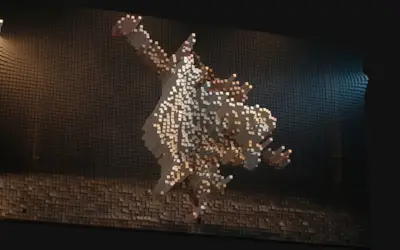 Voxel ReliefBuilds the picture out of small blocks in 3D: bright parts rise, dark parts stay low.
- Splat ExplorationStylizes a Gaussian splat clip by layering the splat with stretched light streaks, drifting particles and a wireframe surface mesh.
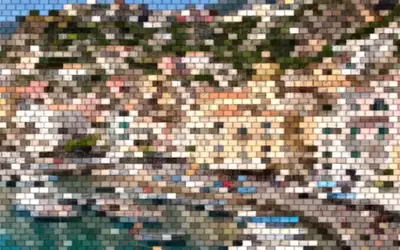 Toy BricksRebuilds the image from staggered, beveled toy bricks, each filled with one color.
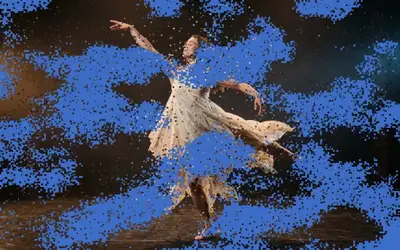 Pixel Particle DisintegrateThe picture breaks into small particles that blow away, as the clip's exit.
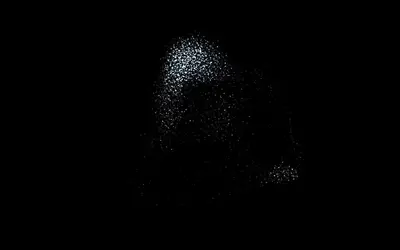 FlockingA swarm of birds, fish or sparks that moves by itself in 3D, with real depth, above the clip.
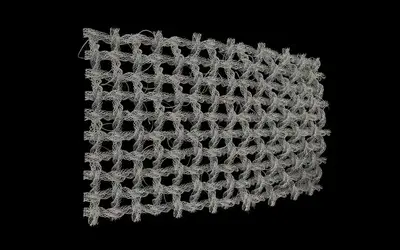 WeaveDraws threads of yarn in 3D: a net that weaves itself in, or a knitted jellyfish with pulsing ribbons.
Which one?
Section titled “Which one?”| Look | Use |
|---|---|
| the picture as a relief of blocks you can look at from any angle | Voxel Relief |
| a stylized Gaussian splat with light streaks and a wire mesh | Splat Exploration |
| the picture rebuilt from toy bricks | Toy Bricks |
| the picture breaking into particles that blow away, as an exit | Pixel Particle Disintegrate |
| a swarm of birds, fish or sparks moving around the clip | Flocking |
| woven fabric, yarn and knots hanging in front of the clip | Weave |
The shared idea
Section titled “The shared idea”These effects build geometry or particles from the clip instead of changing its pixels in place:
- In the 3D scene: Voxel Relief, Flocking, Weave and Splat Exploration draw real 3D objects, so depth, light and the camera matter. Splat Exploration needs a Gaussian splat clip.
- As particles: Pixel Particle Disintegrate splits the frame into particles; it comes last in the effect stack, so effects after it are ignored.
- Flat: Toy Bricks is a 2D look of the pattern engine with a bevel on each brick.
Most of them are node setups you can open and change in the Nodes tab of the clip; Flocking and Weave are whole graphs with presets.
Technical details
Section titled “Technical details”3D effects cost more than 2D ones; a new 3D effect can show “Preparing 3D scene” for a few seconds. More: 3D Layers, Flock Clips, Weave and Effect system.