
Glitch
A broken digital signal: rows tear sideways, blocks jump and the colours split, in short bursts. Between the bursts the picture stays clean, and it plays back the same way every time.
Group: Analog & Glitch · How to add an effect
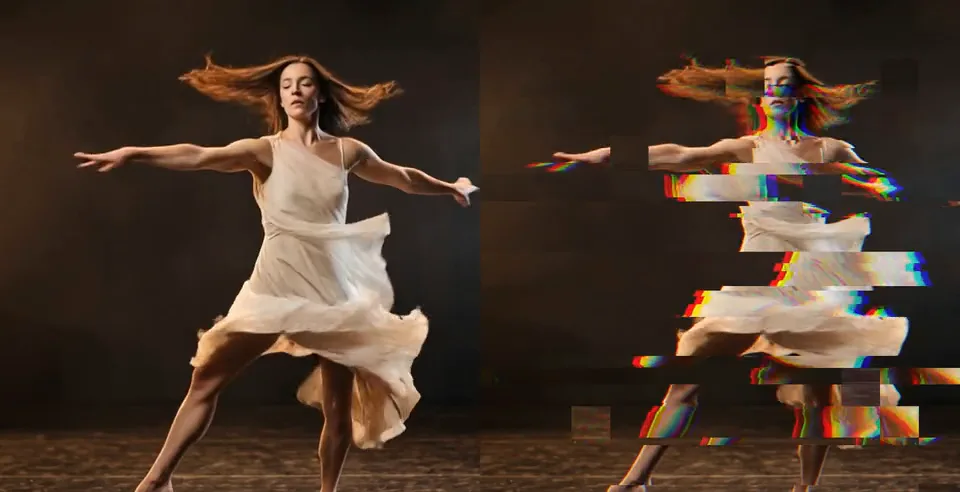
Use it for: a hard cut that feels like a failing signal · a projection that seems to break down · a beat-driven accent (animate Intensity).
- Intensity – how far the picture tears and jumps.
- Density – how often it breaks up and how much of the frame breaks at once. At 1 it never stops.
- Bands – how many rows the picture tears into.
- RGB Split – how far red and blue slide apart.
Tip: Speed 0 freezes one glitch; change Seed for a different pattern. For blocky cells that jump in a grid, try Glitch Grid.
Controls
Section titled “Controls”| Control | Range | Default |
|---|---|---|
| General | ||
| Intensity | 0 to 1 | 0.6 |
| Density | 0 to 1 | 0.35 |
| Pattern | ||
| Bands | 1 to 200 | 16 |
| RGB Split | 0 to 1 | 0.5 |
| Motion | ||
| Speed | 0 to 5 | 1 |
| Seed | 0 to 9999 | 0 |
Node setup
Section titled “Node setup”Glitch opens as stage folders. Burst Clock decides when the signal breaks, Torn Rows and Block Copies decide where, Read Position & RGB Split moves the three colour reads, Channel Reads & Swap reads the picture there and swaps the channels of a few blocks, and Colour & Alpha puts the colours back together. How to open it: The node setup.
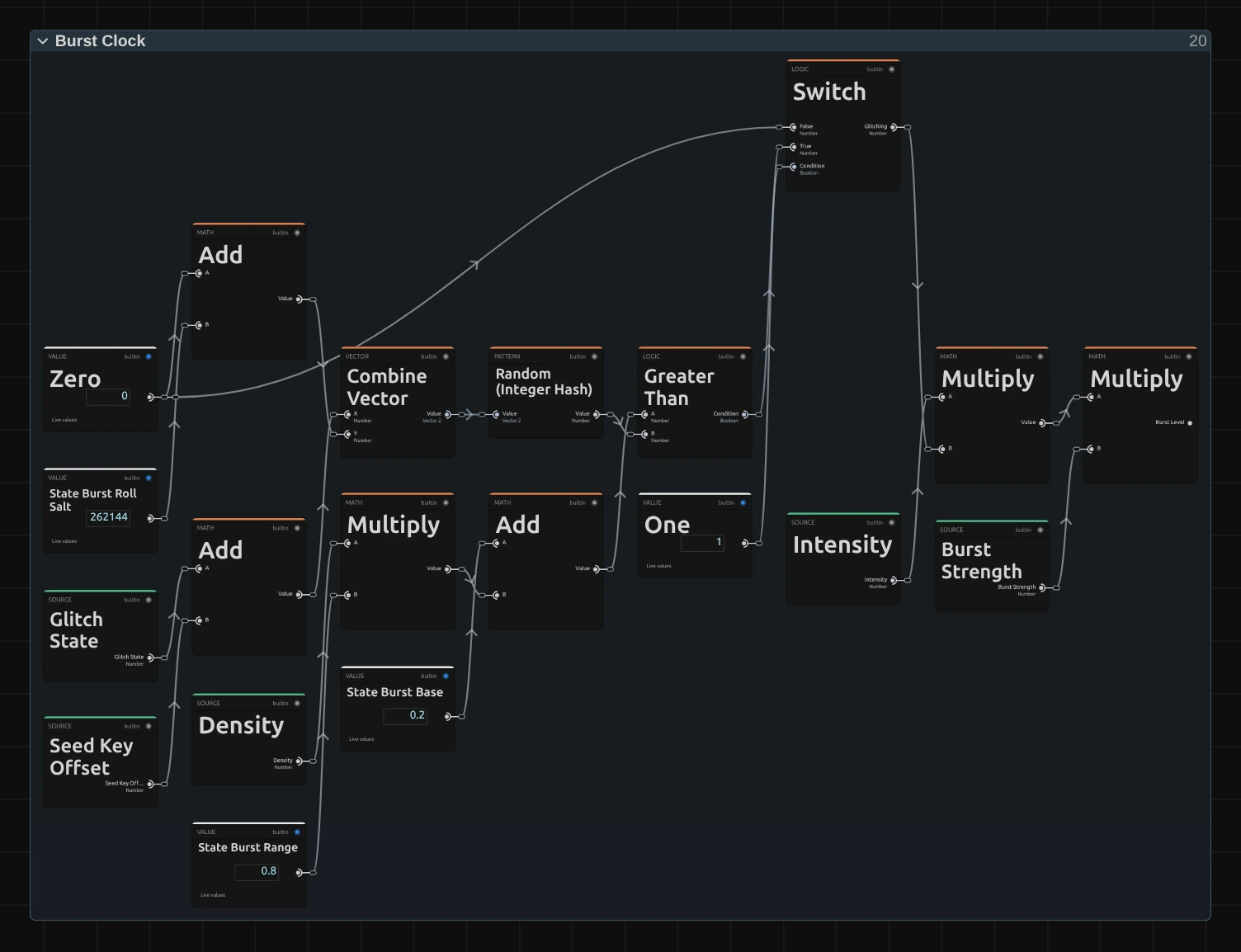
Burst Clock counts glitch states, 12 × Speed per second of timeline. For each state, Random (Integer Hash) rolls a number from whole-number keys: the state plus the Seed Key Offset, and the roll’s own salt (State Burst Roll Salt), so every kind of roll gets its own numbers. Greater Than compares the burst chance (State Burst Base + Density × State Burst Range) with it, and Switch says glitch (1) or clean (0). The two Multiply nodes scale that by Intensity and a random Burst Strength: the Burst Level every other stage reads.
Remix: for a glitch that never pauses, select State Burst Base and set it from 0.2 to 1. At 0, Density alone decides, and Density 0 never glitches.
Technical details
Section titled “Technical details”- Units. Bands is the number of tear rows over the frame height, each split once at a random height. Torn rows shift by up to 15 % of the frame width, thin slices by up to 2 %; block offsets round to the nearest block.
- Reads. The frame is read three times at pixel centres (one read per colour) and wraps around the frame edges. Swapped blocks mix their rotated channels up to half into their own on textured blocks and 0.15 on flat ones. Each channel keeps its own coverage, so cut-out layers keep their edges.
- Time. The picture changes 12 × Speed times per timeline second; Speed 0 freezes it. The clock cycles through 1024 states (about 85 s at Speed 1) and reseeds each cycle. Every random choice comes from whole-number keys, so a frame looks the same every time you play or scrub back to it, in the preview, the software fallback and the export.
- Values. Intensity 0 leaves every pixel unchanged. Values outside a control’s range are clamped and reported in the inspector and in agent tool results.
- Saved projects. A Glitch saved before the 2026-10 rebuild keeps its earlier look and its Scale control; add the effect again for the current version.
The integer hash: Node Catalog: random nodes. Hash keys and the shared recipe builder: Effect system.