
Holo
Lays a holographic foil over the picture: rainbow bands that bend with its tones. The bands run between two colours and light up along outlines; elsewhere black stays black.
Group: Lens & Distort · How to add an effect
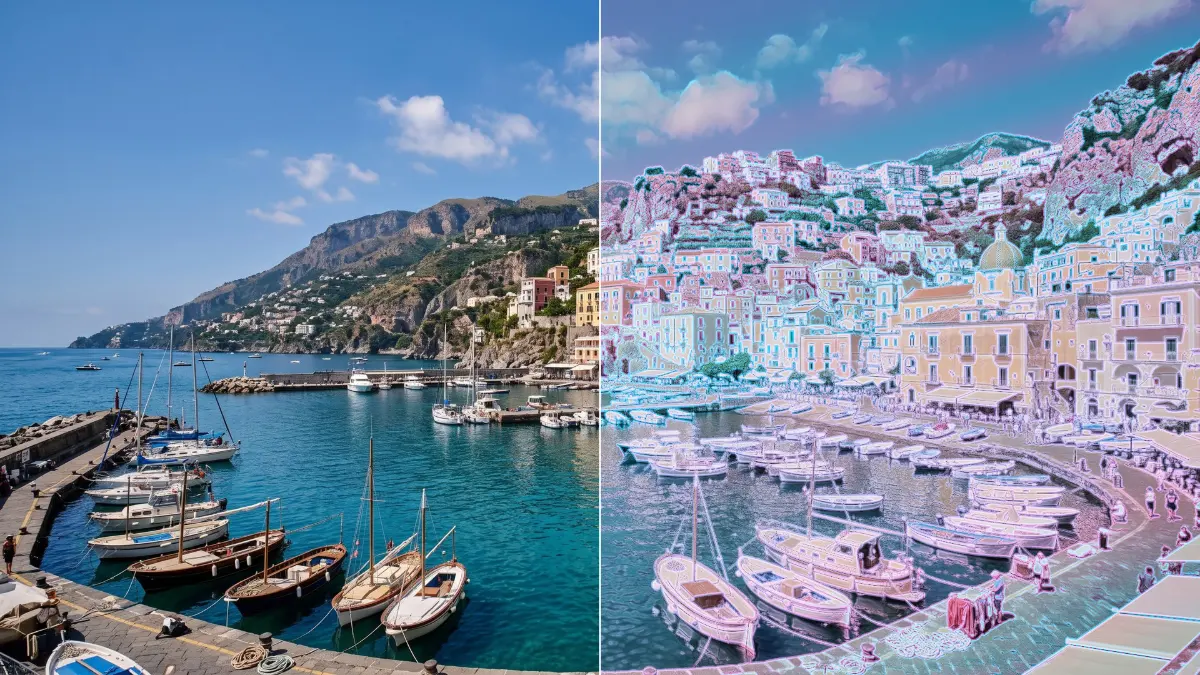
Use it for: a sci-fi hologram · an iridescent, otherworldly costume or set · a shimmering title background.
- Amount – from the original (0) to the full foil (1).
- Stripes – from an even tint (0) to full rainbow bands (1).
- Spectrum A and Spectrum B – the two colours of the foil (cyan and pink by default).
- Speed – how fast the bands drift; 0 holds them still.
Tip: on a performer in front of a dark stage, the darkness stays dark and only the body and its outlines take on the foil. For a full hologram look, raise Amount to 1.
Controls
Section titled “Controls”| Control | Range | Default |
|---|---|---|
| Style | ||
| Amount | 0 to 1 | 0.35 |
| Stripes | 0 to 1 | 0.6 |
| Color | ||
| Spectrum A | a colour | #22d3ee |
| Spectrum B | a colour | #f472b6 |
| Motion | ||
| Speed | 0 to 5 | 1 |
Node setup
Section titled “Node setup”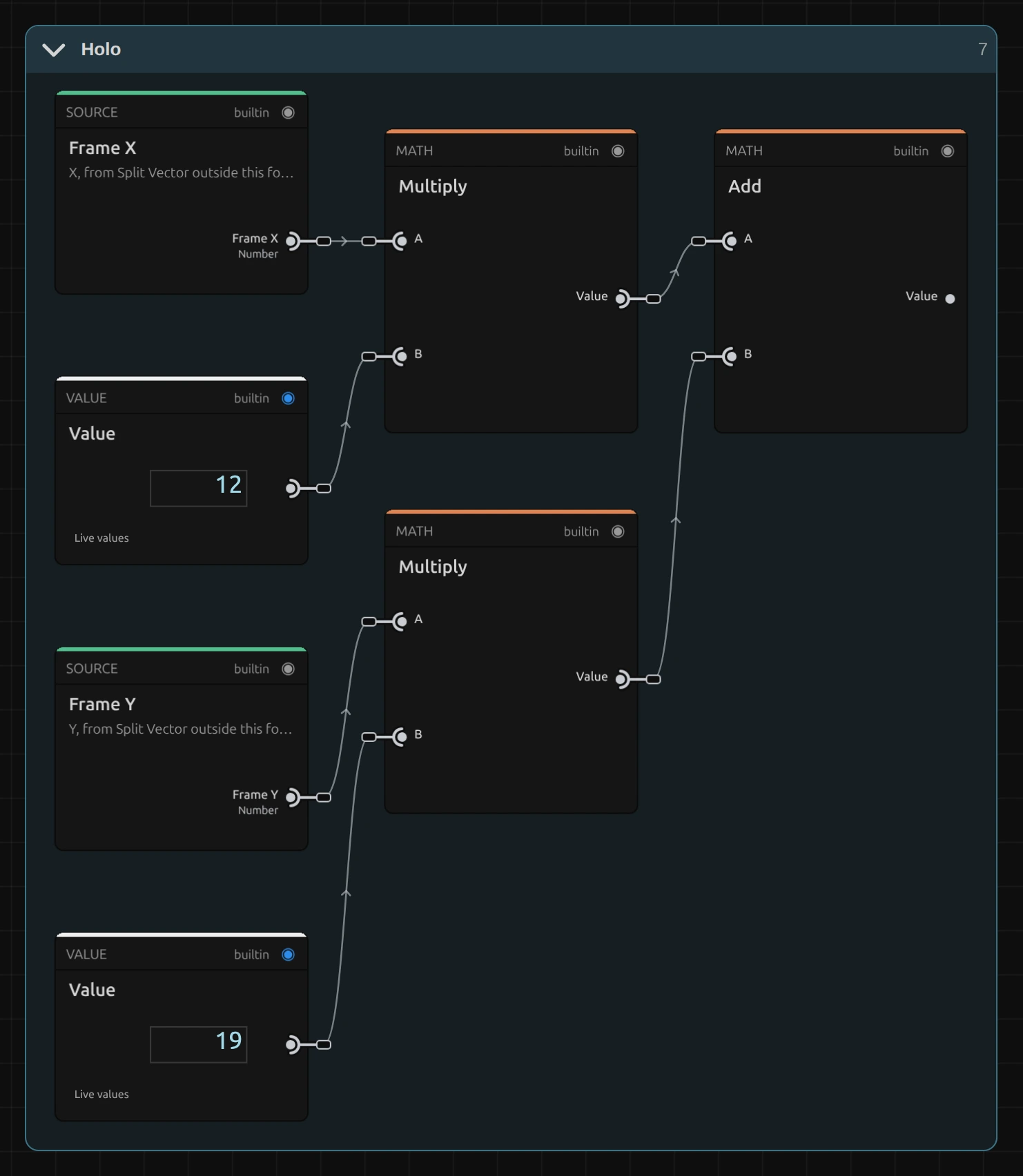
Holo is one flat node graph. The band position comes from the frame position: X × 12 plus Y × 19, so the bands run diagonally. Time × Speed lets them drift, and the brightness of the pixel bends them; a Mix between Spectrum A and B then colours each band. Outlines come from four reads 2 px apart (at 1080 lines). How to open it: The node setup.
Remix: for vertical stripes, select the Value of 19 and set it to 0; for horizontal bands, set the 12 to 0 instead. Larger numbers make narrower bands.
Technical details
Section titled “Technical details”- Bands. The band phase is 12 × X + 19 × Y (frame widths and heights) plus 2 × time × Speed plus 4 × brightness, bent once more by a slow sine. The band colours are pushed 1.6 × away from their own grey, so the foil reads iridescent, not milky.
- Blacks. The even sheen is weighted by smoothstep(0.02, 0.35, brightness), so true blacks stay black. Outlines compare brightness ±0.2 % of the frame height apart.
- Values. Amount 0 leaves every pixel unchanged. Values outside a control’s range are clamped and reported. The bands follow timeline time, so the preview, scrubbing and the export match.
- Saved projects. A Holo saved before the 2026-10 rebuild keeps its earlier look and has no Stripes control; add the effect again for the current version.
More about effect graphs: Effect system. Nodes: Node Catalog.